Sound Bar Quick Guide
Use of Tripod
You can mount the product on a tripod. The tripod is an optional purchase.
|

|
|
> CAUTION
|
- Extend the tripod legs as much as possible and tighten up the screw securely.
- Before connecting with the product, you must set up the tripod completely to prevent shaking.
- You should work together with two or more people when connecting the product and the tripod.
|
-
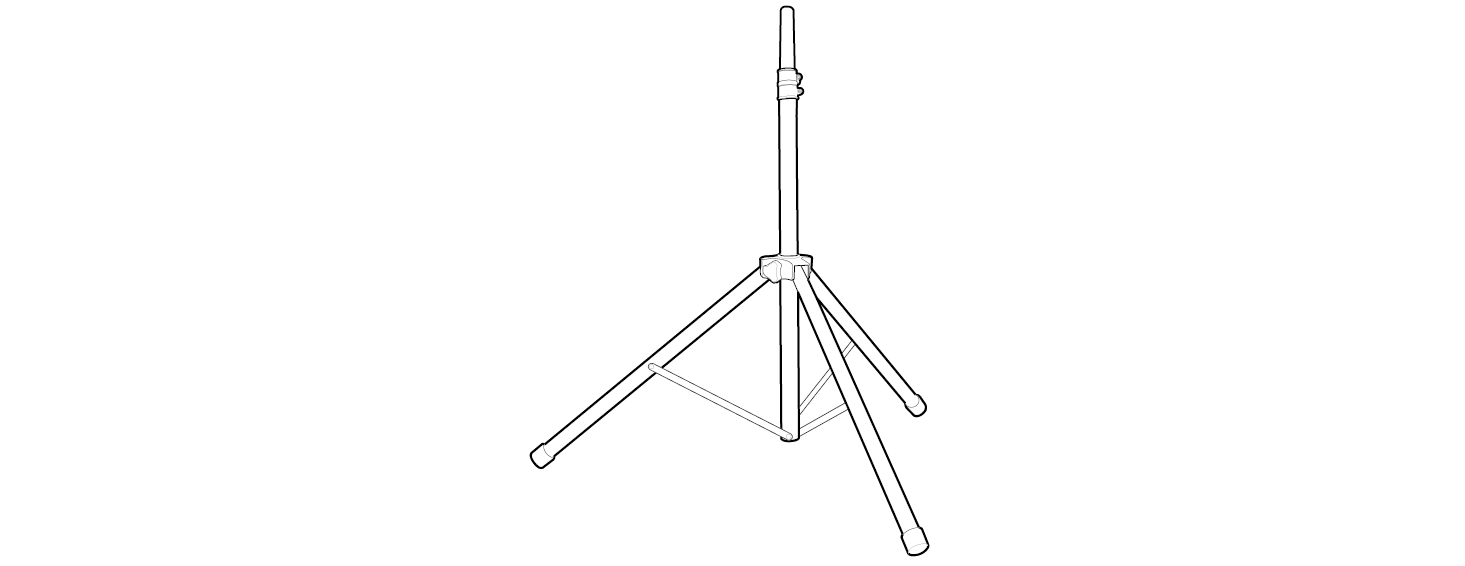
a Unfold the tripod on a flat surface and then fix the tripod. Tighten up the tightening part of the tripod.

-
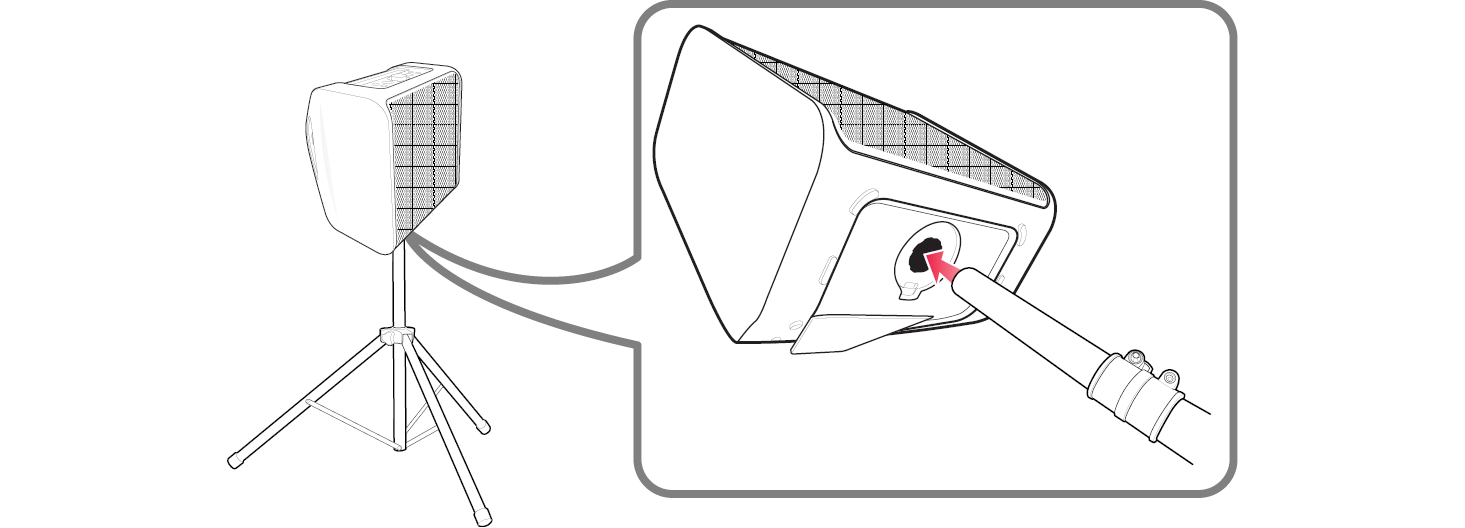
b Open the tripod hole cup on the bottom of the product.


-
c Lift the product and connect the tripod to fixing part on the bottom of the product.

|

|
|
 Note
Note
|
- If you use a tripod, use the tripod only for product.
- Use tripod as below :
- From tripod’s centre to tripod’s leg : above 700 mm
- From top of tripod to bottom of tripod : below 1100 mm
- Stand pole size : Φ 35 mm
- For safe use, set the tripod as low as possible.
- You should pull the centre column to the maximum only in case of need.
- Mount only one product on each tripod.
- Do not try to extent the tripod legs beyond it’s allowed range.
- Make sure the tripod is correctly assembled and all its components are tightly connected.
- Do not try to assemble the tripod if parts are missing or defective.
- After installation, make sure the product is set up firmly on the tripod.
- Do not place the product on anything unstable where it might accidentally fall over.
- Add weight such as sand bags around the tripod legs to prevent the tripod from falling over.
- You should limit people around the product while its on a tripod. Otherwise it may result in an accident and may cause personal injury or property damage.
- Standing on the stool to reach product's control panel is risky and might lead to injuries.
- Do not put or attach other objects on the tripod.
- Do not shake or push the product when the tripod is installed.
- Refrain from moving around the tripod after product is installed.
- Remove all connected cables to the product on the tripod before moving the tripod or adjusting its height.
- When transporting or moving the product, always use two or more people.
- When you use the tripod, use an extension cord. Always be careful with the movement of the cable.
- Do not expose the product to excessive dust, vibrations, extreme cold or heat (such as in direct sunlight or near a heater) to prevent the possible disfigurement of the panel or damage to the internal components.
- When using the external input cable (Mic, etc.) after installing the product on the tripod, external input cable can cause the product to fall down.
- Watch out because people can trip over the input cable (Mic, etc.) connected the product.
- Always be careful not to trip over the product.
|
Additional Functions