Connecting and Using the Speaker - LG Sound Suite AI W7 Wi-Fi ACTIVE SUBWOOFER
- a Connect the product using the power cable. The power turns on automatically.
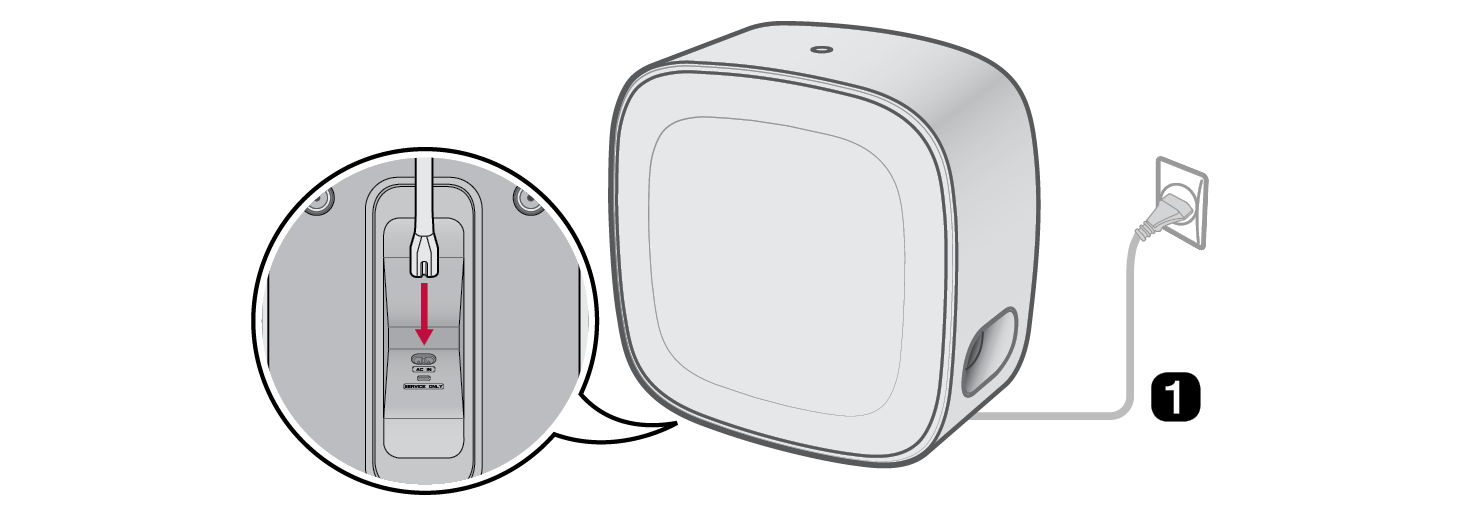

- b Connecting the product to Wi-Fi ([ See “Connecting with the product via LG ThinQ app”)


- A Connect your smartphone to Wi-Fi.
- B Install the LG ThinQ app on Google Play or the App Store.
- C Run the LG ThinQ app and follow the instructions.
- D The product will connect to your smartphone and you can control the product with LG ThinQ app.
Using with Dolby Atmos FlexConnect Supported Devices
Connectivity is possible through the LG ThinQ app's Dolby Atmos FLEXCONNECT settings without the need for complicated wires. Connect your LG Sound Suite products for optimal acoustics.
Scan the QR code below for more information of using Dolby Atmos FLEXCONNECT with LG Sound Suite products.

|
|
|
|
|


Exploring the Product