Connecting via USB Audio - LG xboom Stage501 Portable Bluetooth Speaker
You can connect to the PC and listen to audio sound through the speaker.
Please check the following first.
- • This product can be used with PCs, laptops that support UAC** (USB Audio Class).
** UAC (USB Audio Class): Digital audio connection standard that used a USB interface.
- • USB Audio Specification: UAC 1.0 support
- • It may not work properly depending on the specifications of device that support UAC (USB Audio Class) For more information, contact your device manufacturer.
- • The speaker’s PC specifications are as follows:
- - Windows OS: 10 version 20H2
- - MAC OS: 11.2 version
- - It is recommended to use the speaker with this version or later.
- a Connect the speaker to the PC via a USB C-type cable.
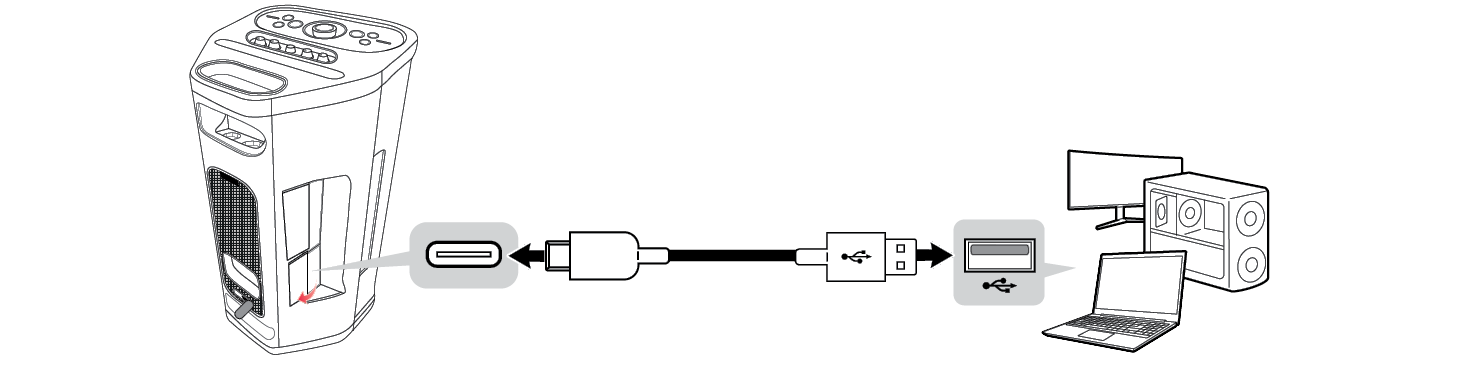

- b Press the Power
 button on the speaker to turn it on.

- c Press the Bluetooth
 button three times quickly on the speaker. When connected to a PC in USB Audio mode, the sound will appear.


- d Select "xboom Stage501" as the PC audio output.
- e Play the audio on the PC.
|
|
|
|
|

