Sound Bar Quick Guide
Connecting Smartphone to the Speaker via Bluetooth
You can play music files stored on a Bluetooth device, or run music apps to enjoy the music with this product.
Please check the following first.
- The following are the Bluetooth specifications of the product.
- Bluetooth version: 4.2
- Codec: SBC
- How to connect the device to the product may differ depending on the type and model of the Bluetooth device. For information on how to connect the product, refer to the user manual of the Bluetooth device to be connected.
Select the [Bluetooth] menu on the smartphone's Settings screen.
The menu access method may differ depending on the smartphone manufacturer and model.
-
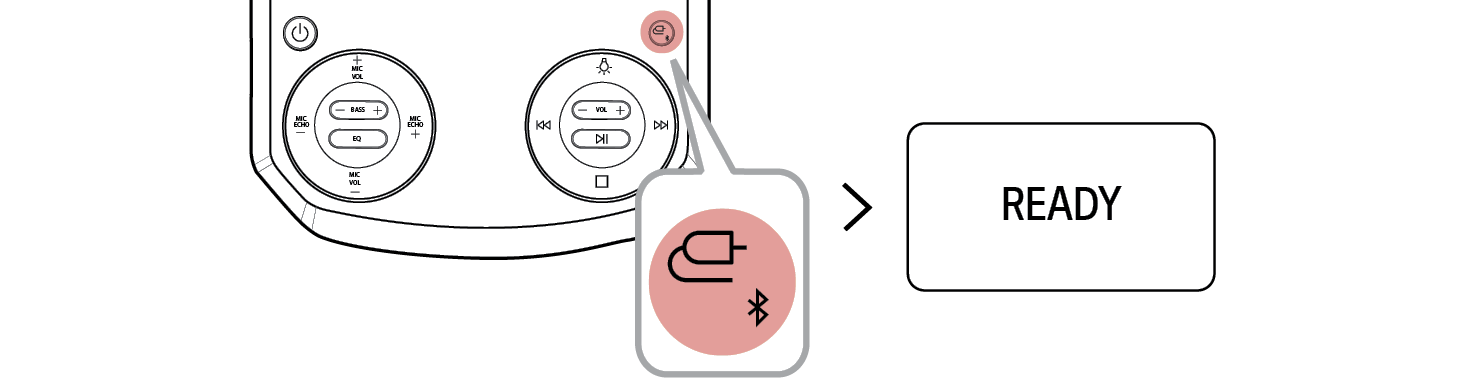
a Press the Power
 button of the speaker and turn it on. Press the Function
 button repeatedly to select the BT function. After a moment, you will see “READY” appears on the status display.

-
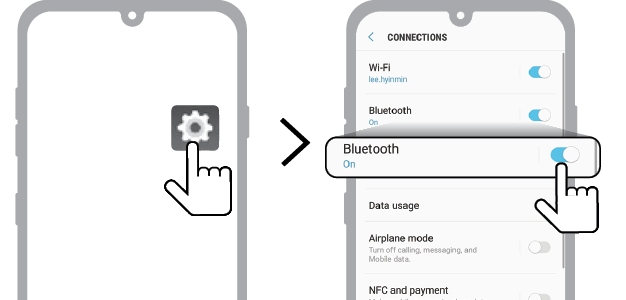
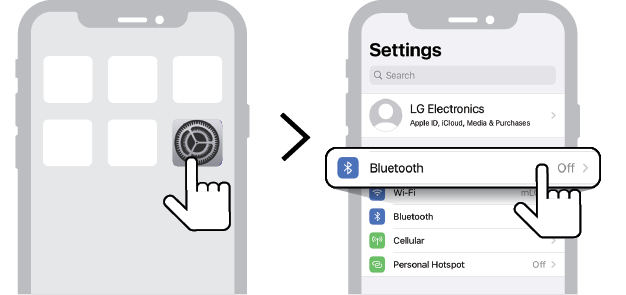
b Tap the Setting (
 /
/  ) button on your smartphone and select
  Bluetooth.
(Android Phone)
(iPhone)

-
c Turn on the Bluetooth function. (
 Off >
Off >  On)
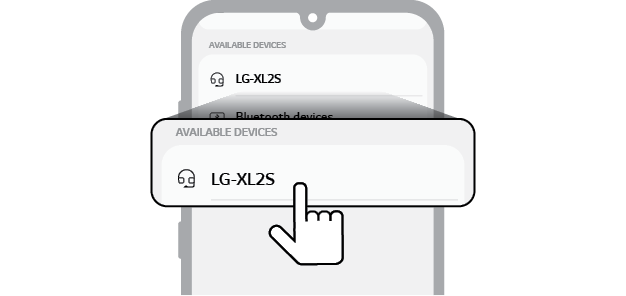
On) - d You will see a list of connectable devices on the smartphone screen. Find and tap the name “LG-XL2S”.

- e When the speaker is connected to the smartphone via Bluetooth, you will see the status display change from “PAIRED”(Connected) [ “BT” (Ready to use).
-
f If "LG-XL2S" does not appear on the list, tap on the Refresh
 icon on an Android phone or restart Bluetooth on an iPhone.
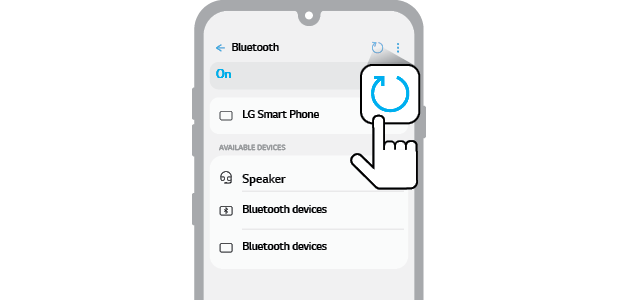
(Android Phone)
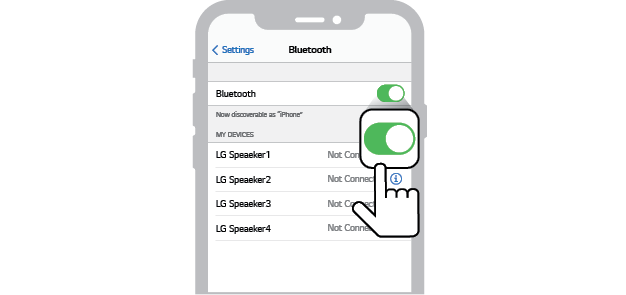
(iPhone)

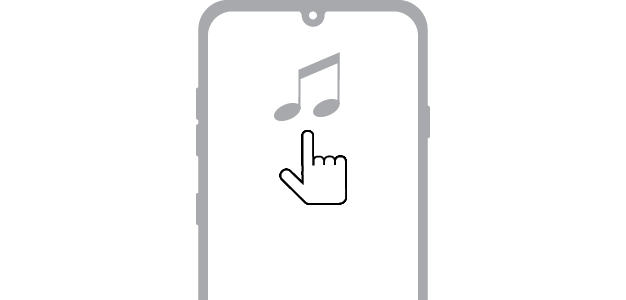
- g Select and play a track on the smartphone.

|
|
|
|
|


Connecting to USB