Sound Bar Quick Guide
Connecting with an Optical Cable
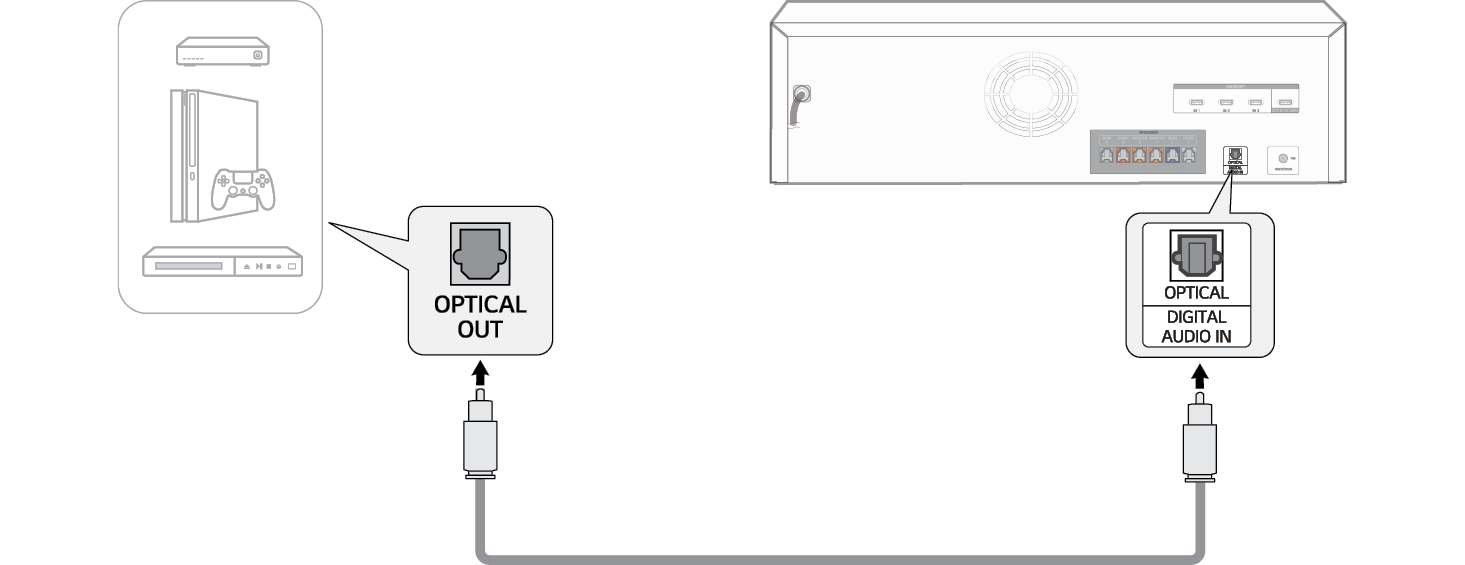
Connect the TV and external device (game console, DVD player, etc.) with an optical cable and enjoy a deep and rich sound.
Connecting an external device via optical cable
- a Use the optical cable to connect the OPTICAL (DIGITAL AUDIO IN) terminal on the back of the receiver to the OPTICAL OUT terminal of your external device (ex. TV, Blu-ray player) as shown in the picture.

-
b Press the Function
 button repeatedly until “OPT/HDMI ARC” appears on the status display.

