Sound Bar Quick Guide
Recording to USB
You can record music or sound source to USB device by connecting in to the port on the receiver. (Can be used only when AUX, FM function)
- a Connect the USB device to the receiver.
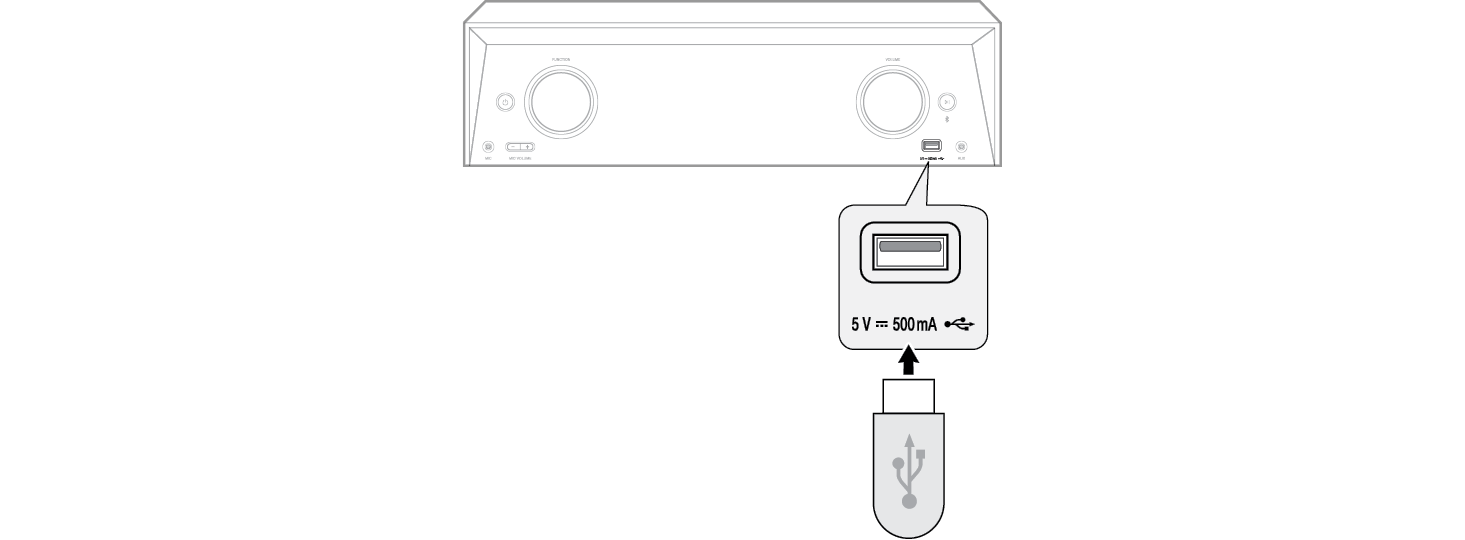

-
b Press the Function
 button to select a function (AUX or FM) you want to record.


- c Start the recording by pressing USBREC. on the remote control. When recording in progress, “.” only blinks.


-
d If you want to pause, press the OK
 button on the remote control. “REC.” blinks.


- e To stop recording, press STOP or USBREC. on the remote control. It’ll be stored as follows.
|
AUX |
AUDIO_XXXX |
|
FM |
AUDIO_XXXX_XXX-XXFM |
To select recording bit rate
- a Press and hold USBREC. on the remote control for 3 seconds.


-
b Press Skip/Search

 on the remote control to select a bit rate.


- c Press USBREC. on the remote control to finish the setting.
|
|
|
|
|


|
|
|
|
|


The making of unauthorised copies of copy-protected material, including computer programs, files, broadcasts and sound recordings, may be an infringement of copyrights and constitute a criminal offense. This equipment should not be used for such purposes.
Be responsible
Respect copyrights.