Sound Bar Quick Guide
透過 Bluetooth 連接
您可以播放儲存於 Bluetooth 裝置上的音樂檔案,或者執行音樂應用程式以透過本產品欣賞音樂。
請先檢查以下事項。
- 要連接到產品的 Bluetooth 裝置應符合以下規格。
- Bluetooth 5.1 技術
- 轉碼器:SBC、AAC
- 將裝置連接到產品的步驟可能會有所不同,具體取決於 Bluetooth 裝置的類型和型號。如需裝置之連接方法的更多資訊,請參閱外部裝置的使用者手冊。
從智能手機的設定選單中選擇 [Bluetooth]。
設定選單項目可能因智能手機製造商和型號而異。
- a 開啟產品。
-
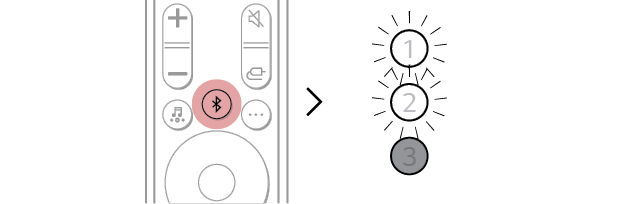
b 按下 Bluetooth 配對
 按鈕。片刻之後,LED1 和 LED2 指示燈閃爍白色。

-
c 輕觸智能手機上的設定(
 /
/  )按鈕,然後選擇 Bluetooth。
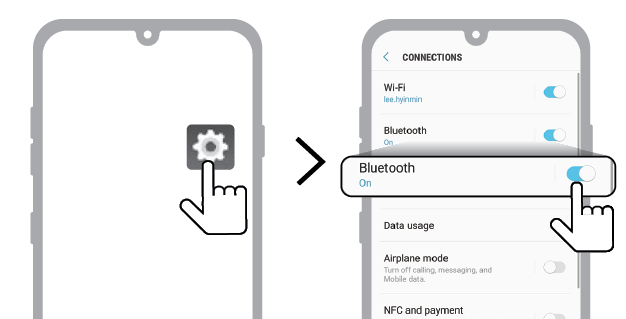
(Android 手機)
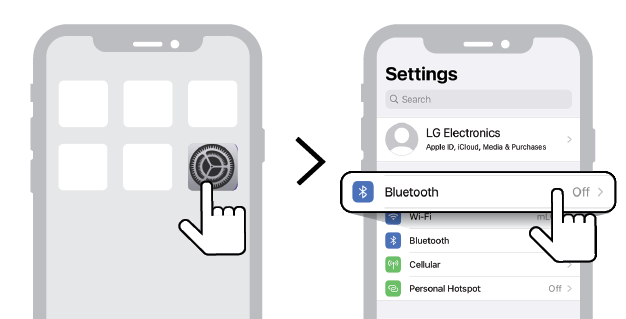
(iPhone)

-
d 開啟 Bluetooth 功能。(
 關 >
關 >  開)
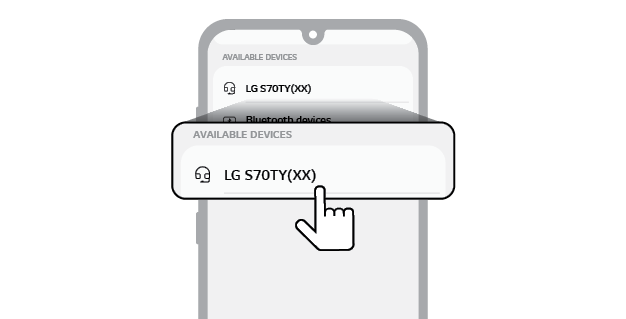
開) - e 智能手機上將出現可連接裝置的清單。找到並點選「LG S70TY(XX)」。

- f 當產品透過 Bluetooth 連接到智能手機時,LED1 指示燈和 LED2 指示燈亮起白色。
-
g 如果找不到產品「LG S70TY(XX)」,請在 Android 智能手機螢幕右上角輕觸更新
 按鈕,或者關閉 Bluetooth,然後在 iPhone 上再次將其開啟。
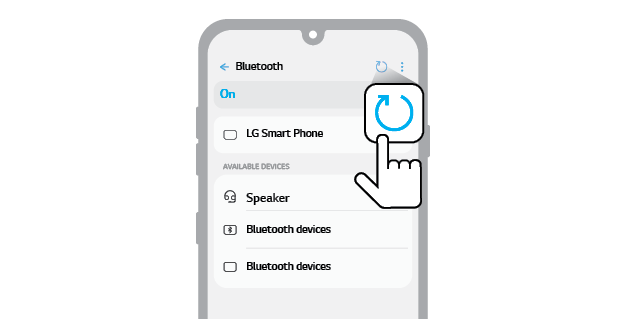
(Android 手機)
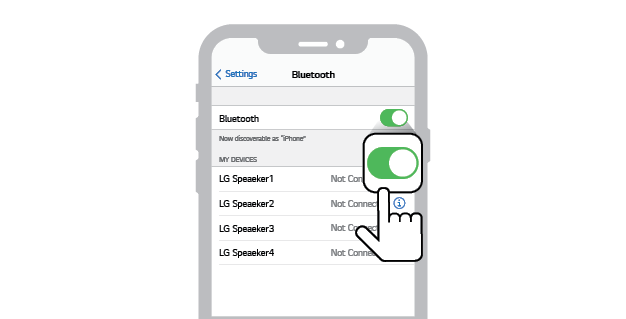
(iPhone)

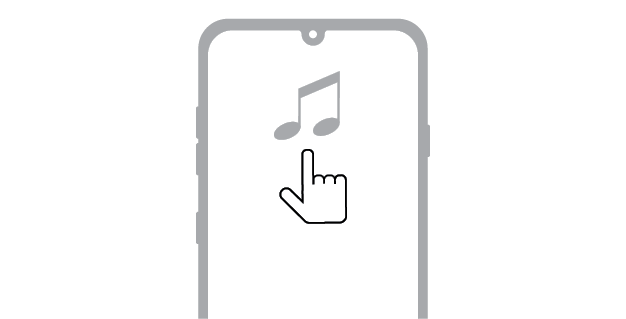
- h 執行音樂應用程式,然後在智能手機上聽音樂。

|
|
|
|
|


