Sound Bar Quick Guide
Connecting with LG Sound Sync (Wireless)
You can adjust the volume with the LG TV remote control if the TV is connected to the product with LG Sound Sync (Wireless). Check out the TV user manual to see if your TV is supported.
Watching TV after connecting it wirelessly
-
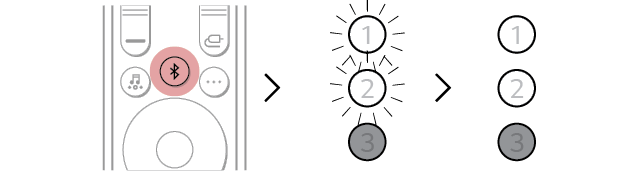
a Press the Bluetooth pair
 button. After a moment, LED1 and LED2 blink white.
 - b Press the Settings button on the TV remote control, enter to the [Speaker] menu, and connect the product to the TV.
- c Find and select “LG US70TR(XX)”.
- d When the product is connected to the TV via Bluetooth, LED1 and LED2 light up white.

|
|
|
|
|


