Sound Bar Quick Guide
Preassembly
Depending on the size of the TV, the bracket is applied differently. Check the size of the TV first and install it. The model names of LG TVs that can be installed are as follows.
|
55QNED |
55QNED80T** / 55QNED82T** / 55QNED85T** / 55QNED88T** / 55QNED80A** / 55QNED85A** |
|
65QNED |
65QNED80T** / 65QNED82T** / 65QNED85T** / 65QNED88T** / 65QNED90T** / 65QNED80A** / 65QNED85A** |
|
75QNED |
75QNED80T** / 75QNED82T** / 75QNED85T** / 75QNED88T** / 75QNED90T** / 75QNED80A** / 75QNED85A** |
|
86QNED |
86QNED80T** / 86QNED85T** / 86QNED80A** / 86QNED85A** |
|
|
|||||
|
|
|||||
|


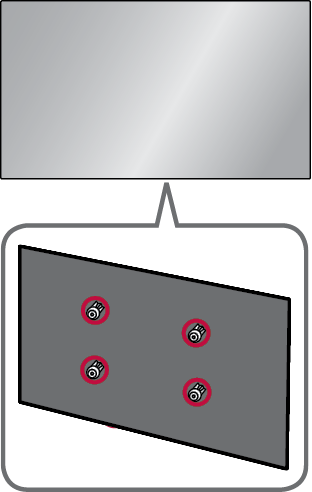


- a Check the TV model name that matches the bracket, find the appropriate holder, and attach it to the bracket.
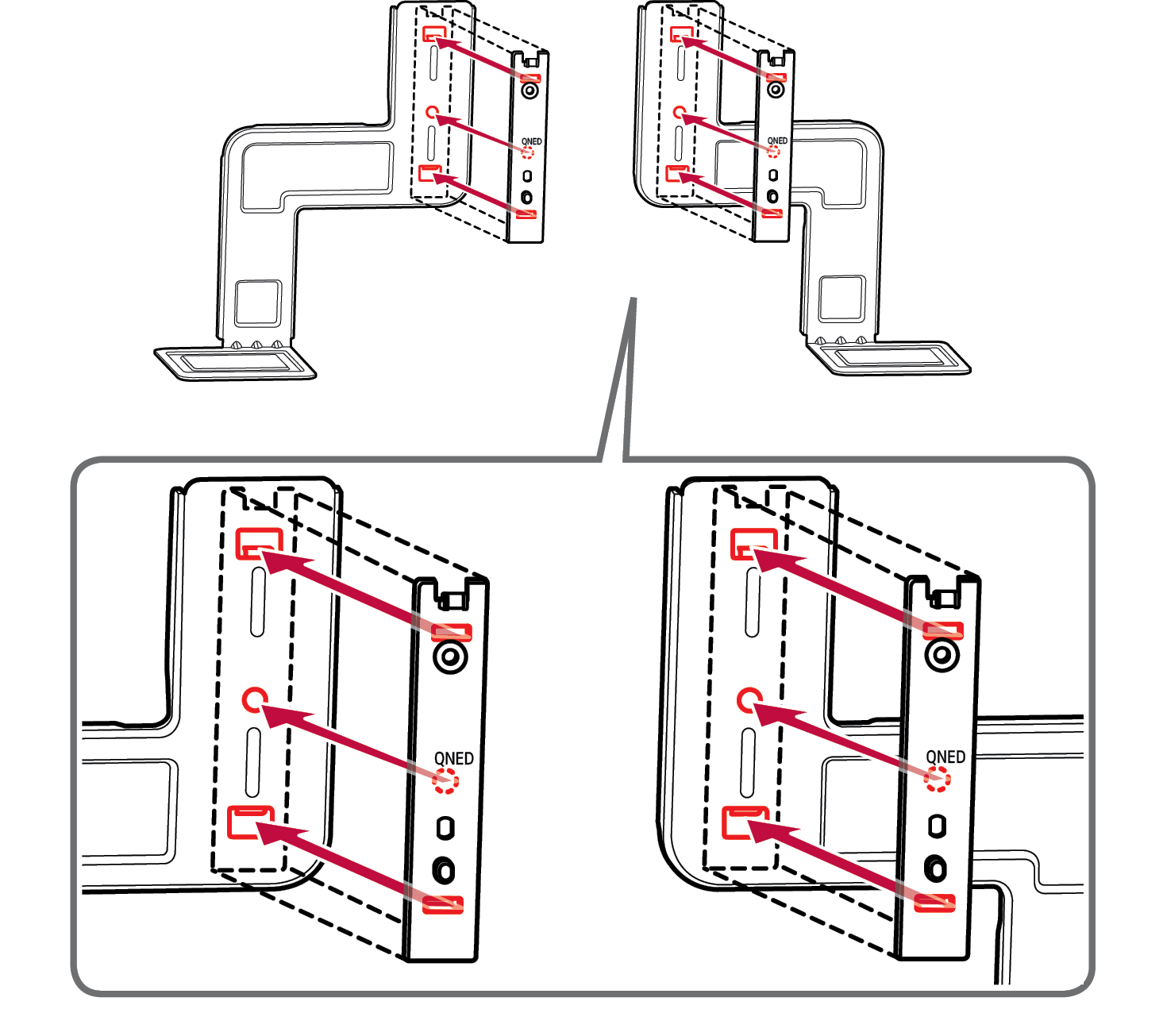

- b Check the direction of the bracket when installing.
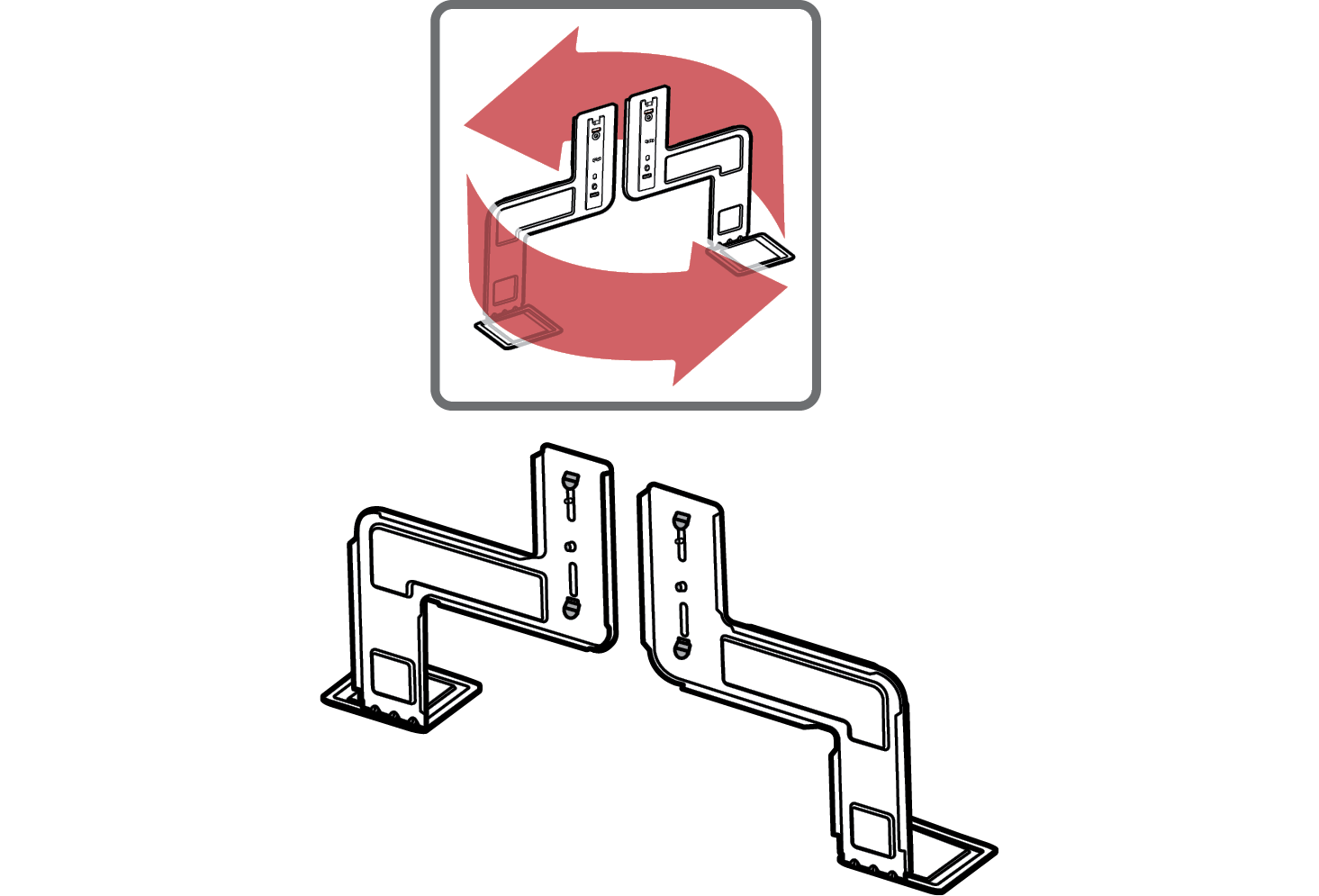

|
|
|
|
|


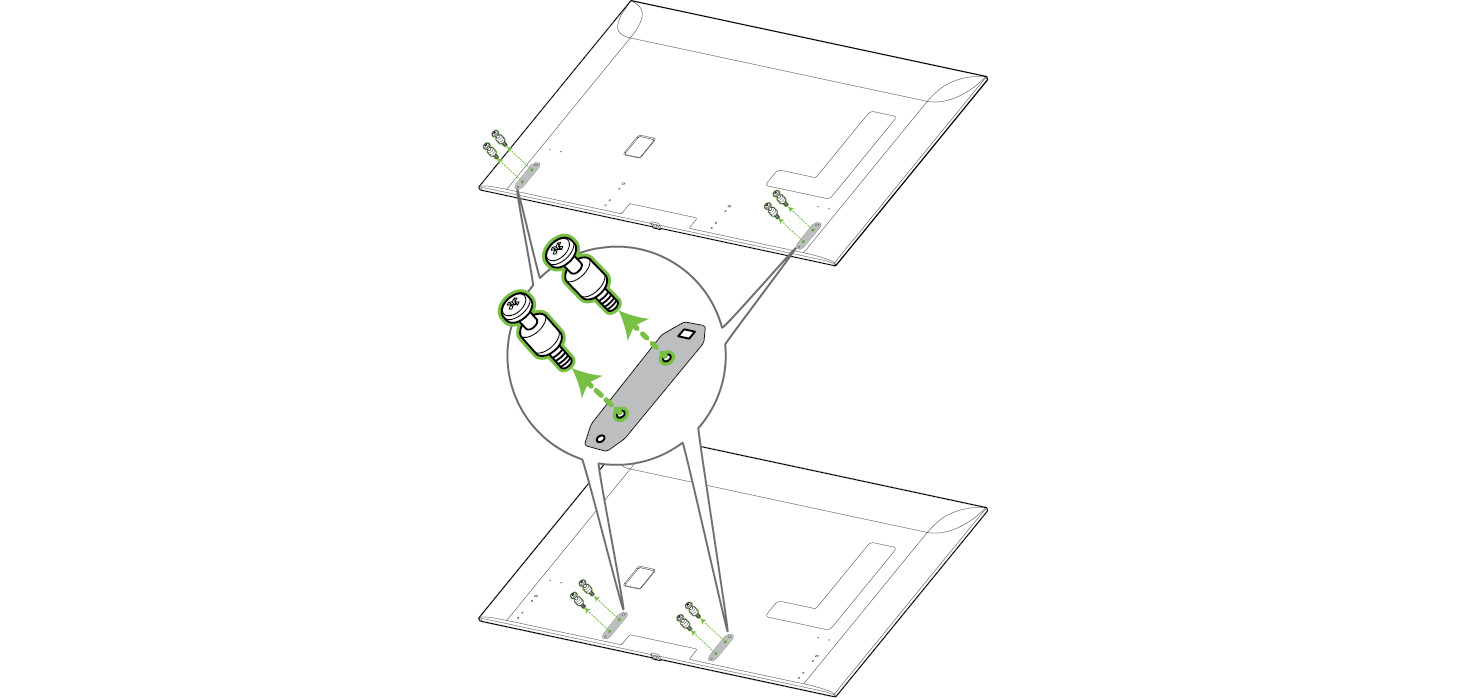
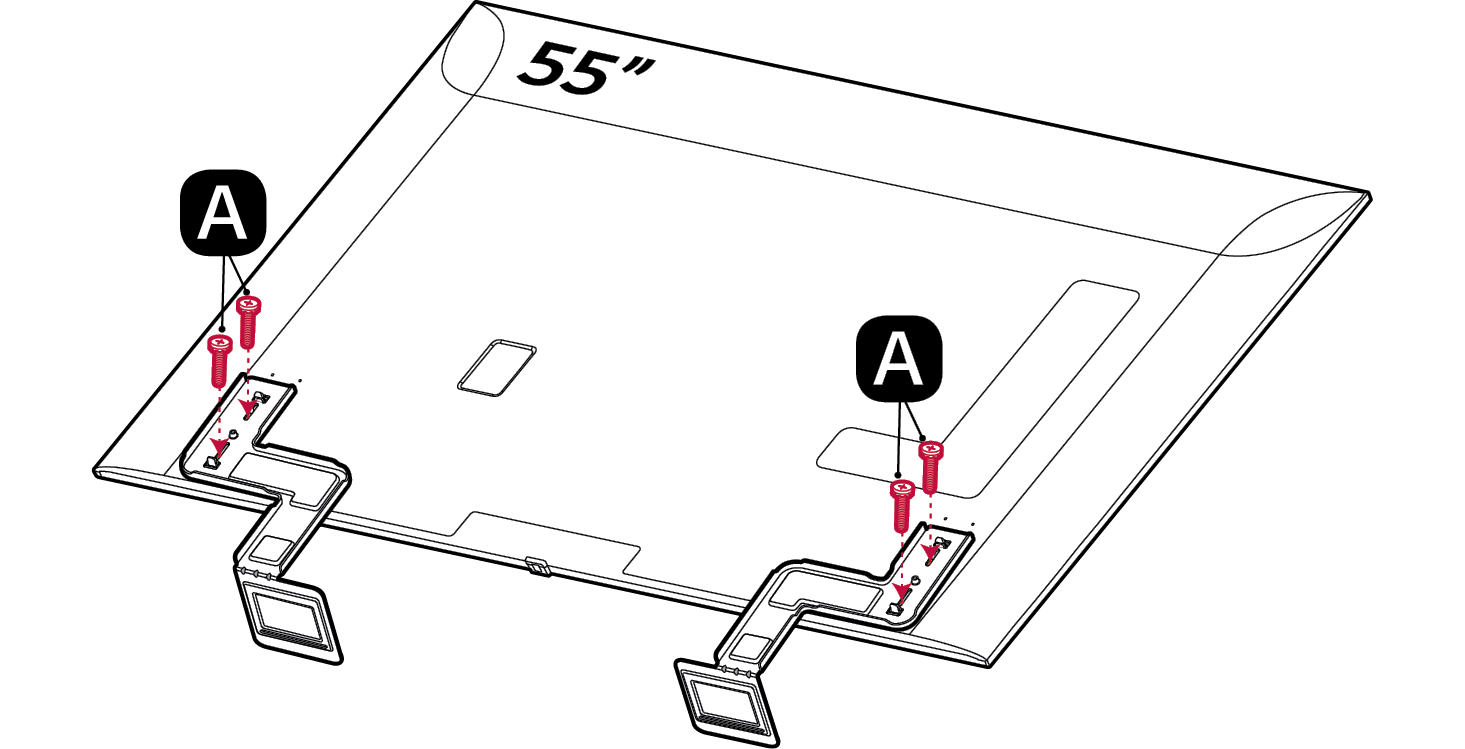
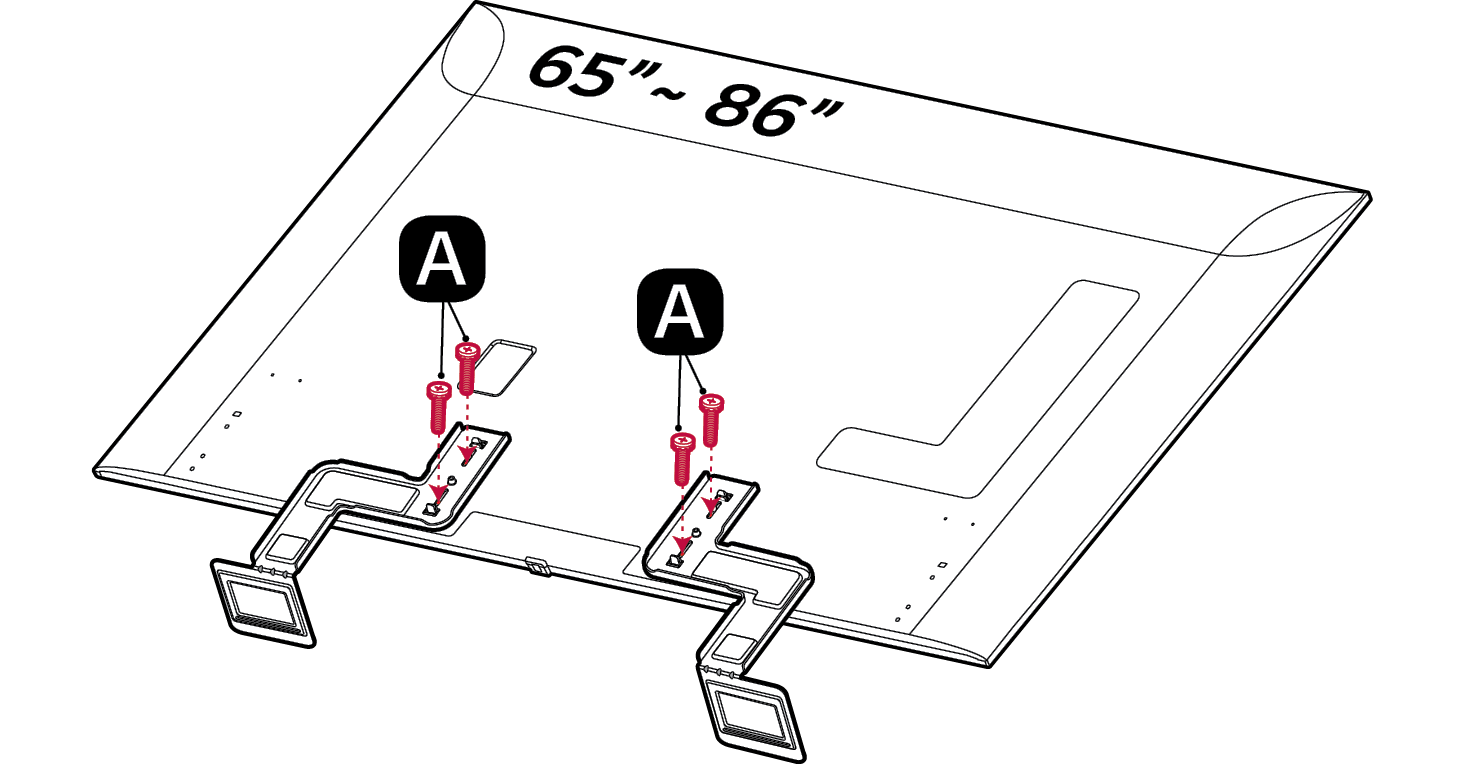
- c Depending on the size of the TV, the bracket is applied differently. Check the TV size first, then place the bracket into the screw hole on the back of the TV. At this time, align it well with the hole in the TV.
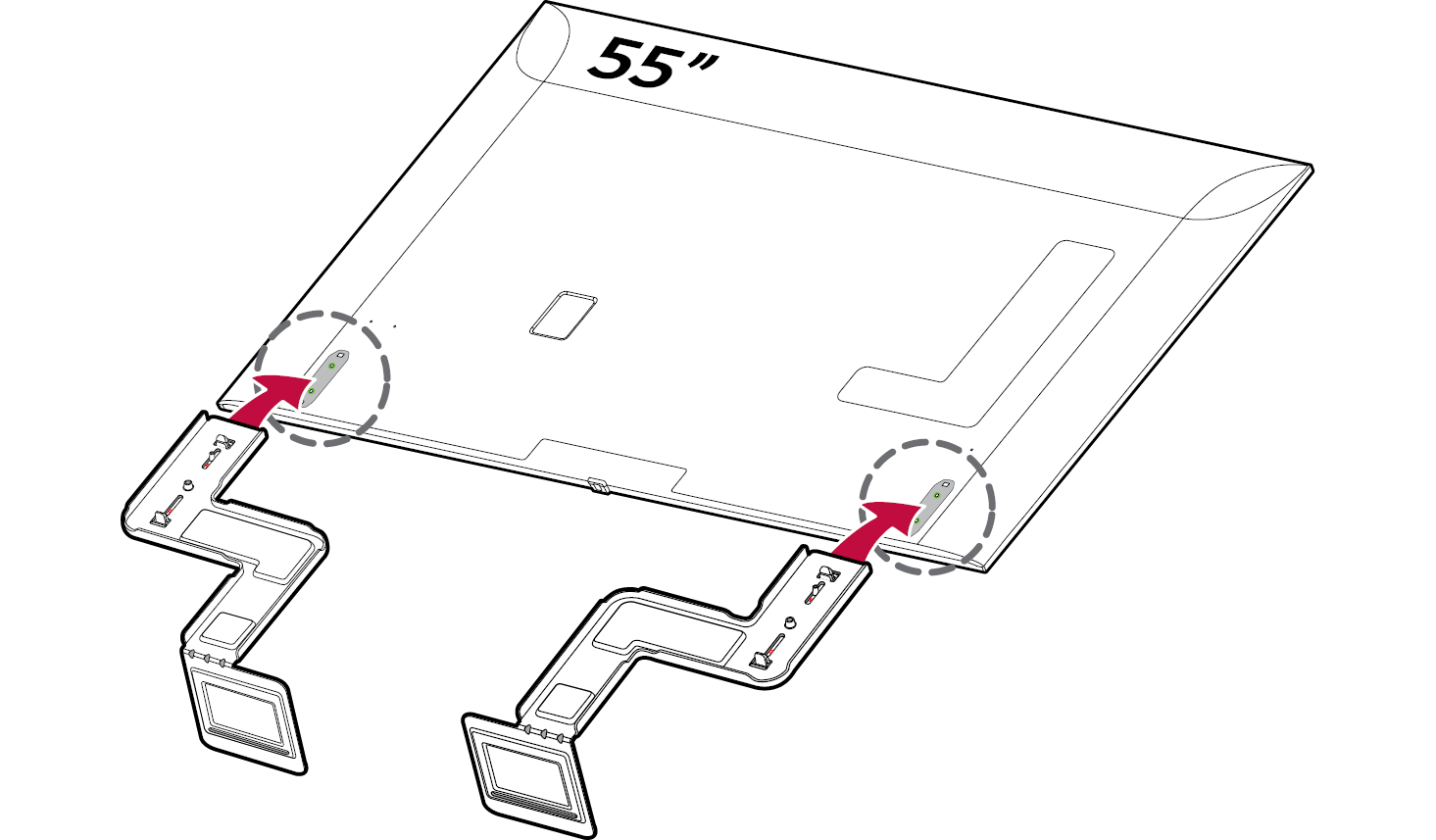
.

- d Secure the bracket to the TV using four screws a (M4 x 16 mm).