Sound Bar Quick Guide
Installing and using the Product
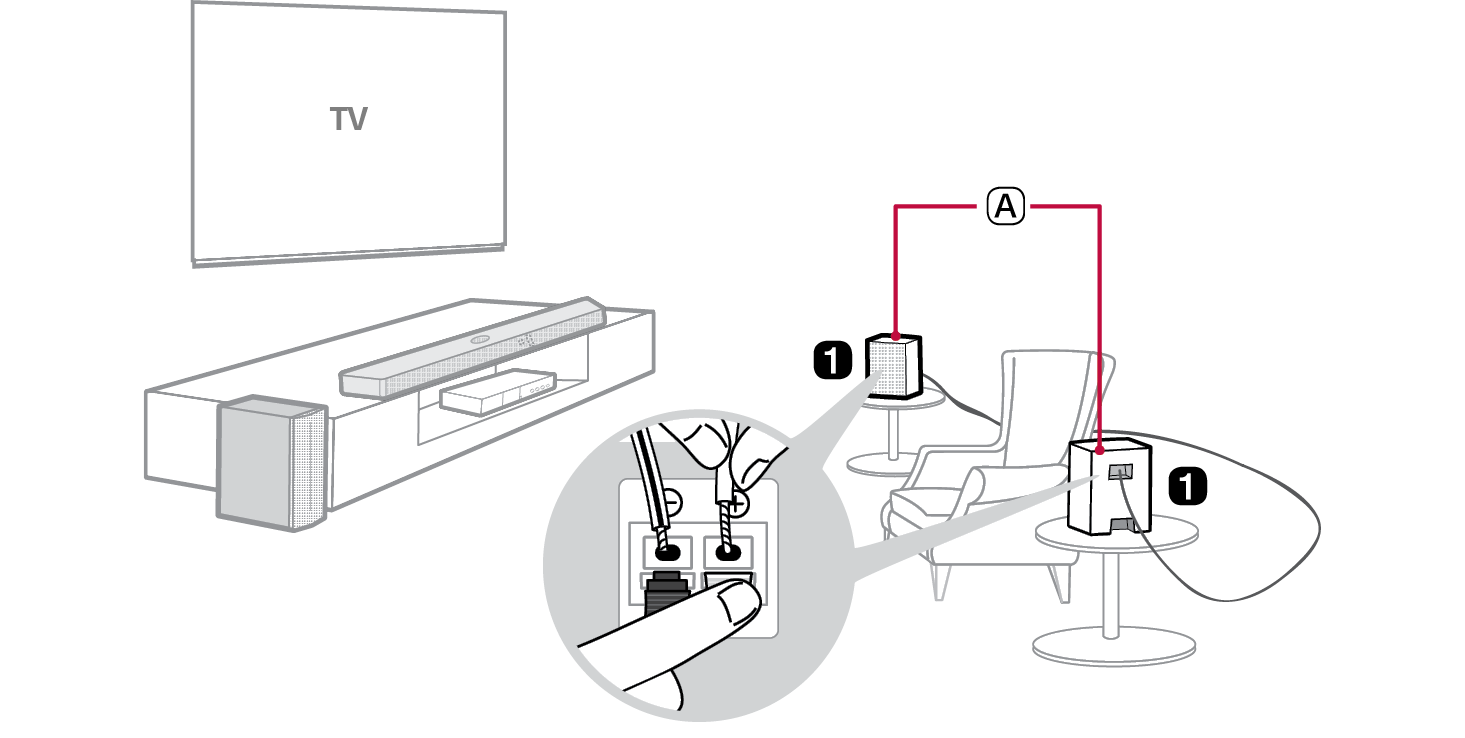

- A Rear Speakers
- a Connect the rear speakers via a speaker cable. When connecting the rear speakers, connect the black striped cable to the negative terminal of each speaker and the remaining cable to the positive terminal of each speaker.
- b Connect to power in the following order: rear speaker [ soundbar. Then, turn on the soundbar. When the connection is automatically established with the soundbar, the LEDs on the rear speaker will light up green.
If you see a red LED on the rear speaker, it means that the soundbar is not connected to the speakers. If this is the case, connect them in the following order.
-
A Press the Power
 button on the soundbar to turn it off.
 - B Press the PAIRING button on the back of the rear speaker. Check if LED blinks green.
-
C Press the Power
 button on the soundbar to turn it on.
 - D When the connection is established, you will see a green LED light on the rear speaker light up.
Table of Contents
Rear Speakers Quick Guide
2 Installing and using the Product
Installation
5 Supported LG Soundbar models
6 Connecting the Product
Setting up surround sound
9 Turning surround sound on/off
Safety Precautions
10 Safety and Regulatory
13 Prevention of product misuse
Before Reporting Product Malfunction
17 Troubleshooting
Appendix
18 Specifications
19 Handling the Product
Installation