Sound Bar Quick Guide
Listening Auracast™ broadcast
You can listen to broadcasts that are in progress around you in the Auracast™ broadcast listening in the LG ThinQ app.
- a Run the LG ThinQ app and select the Auracast™.
- b Select the Auracast™ broadcast you want to listen to from the searched list.
- c Once the Auracast™ broadcast is connected, you can listen to the broadcast through the speaker.
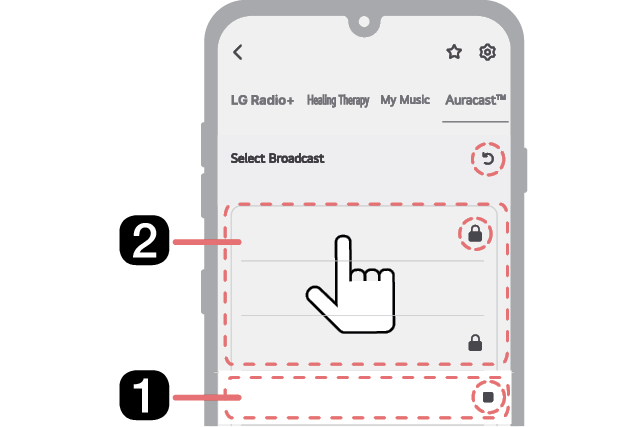

- a This is the broadcast you are currently listening to.
- b In addition to the broadcast you are currently listening to, broadcasts that can be heard around you will appear in the list.
-
 Stop Listening: Select to stop listening to the broadcast.
 -
 Search: Press the button to search for broadcasts that can be heard around you.
 -
 Lock symbol: Appears when a password is required.
|
|
|
|
|


Additional Functions