Front - LG Sound Suite AI H7 Wi-Fi SOUNDBAR
|
a |
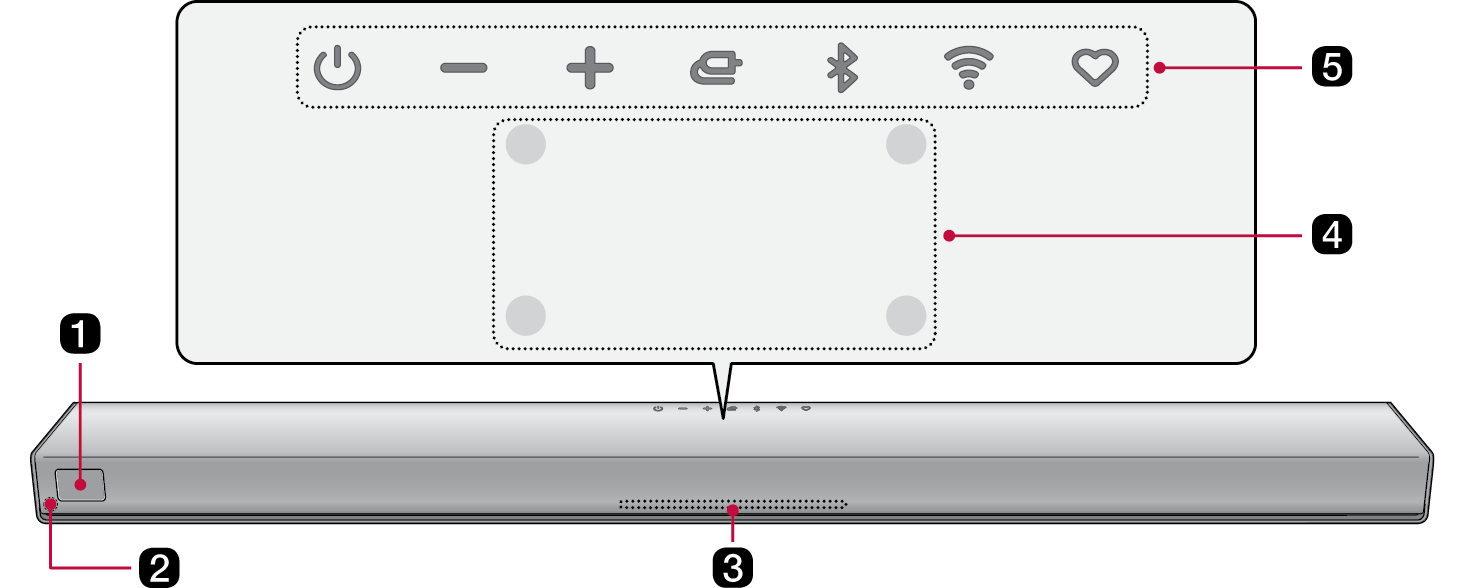
Display Window Displays the status of the product.
|
|
b |
Remote Control Receiver This receives wireless signals from the remote control. |
|
c |
Lighting indicator Options such as input mode and volume light up. ([ See “Lighting Indicator”) |
|
d |
Built-in microphone This is used when operating the Dolby Atmos FLEXCONNECT calibration. |
|
e |
Power This turns the product on/off.
Volume Adjusts the sound volume. Source Press the button repeatedly to select the desired function or input mode.
Bluetooth pair It allows you to pair your Bluetooth device such as a smartphone to this product for one minute. ([ See “Connecting via Bluetooth”) Wi-Fi It goes to the Wi-Fi function directly. MY
|


|
|
|
|
|
The microphone is used solely for audio functionality and does not collect the user’s sound. |


|
Power on / Power off |
|
|
|
|
|
|
|
|
|
|




|
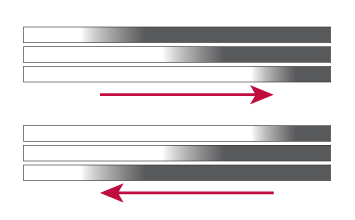
Volume Adjustment |
|
|
|
|


|
Source |
|
|
|
HDMI ARC The lighting indicator lights up white. |
|
|
Wi-Fi ready The lighting indicator blinks green. |
|
|
Wi-Fi connected The lighting indicator lights up green. Apple AirPlay, Google Cast, Spotify, Tidal connect When playing music via Apple AirPlay, Google Cast, Spotify, or Tidal Connect, the lighting indicator lights up green. |
|
|
Bluetooth ready The lighting indicator blinks blue. |
|
|
Bluetooth connected The lighting indicator lights up blue. |
|
|
USB storage mode ready The lighting indicator blinks amber. |
|
|
USB storage connected The lighting indicator blinks amber and then turns off. |
|
|
Room Calibration Pro in progress The lighting indicator displays dynamic, multicolored light animations. |
|
|
Room Calibration Pro completed The lighting indicator lights up with multicolored lighting. |









|
|
|
|
|


