Connecting to a USB Storage Device
Enjoy high-quality sound by connecting a USB storage device containing music files to the product.
Connecting the product to a USB storage device
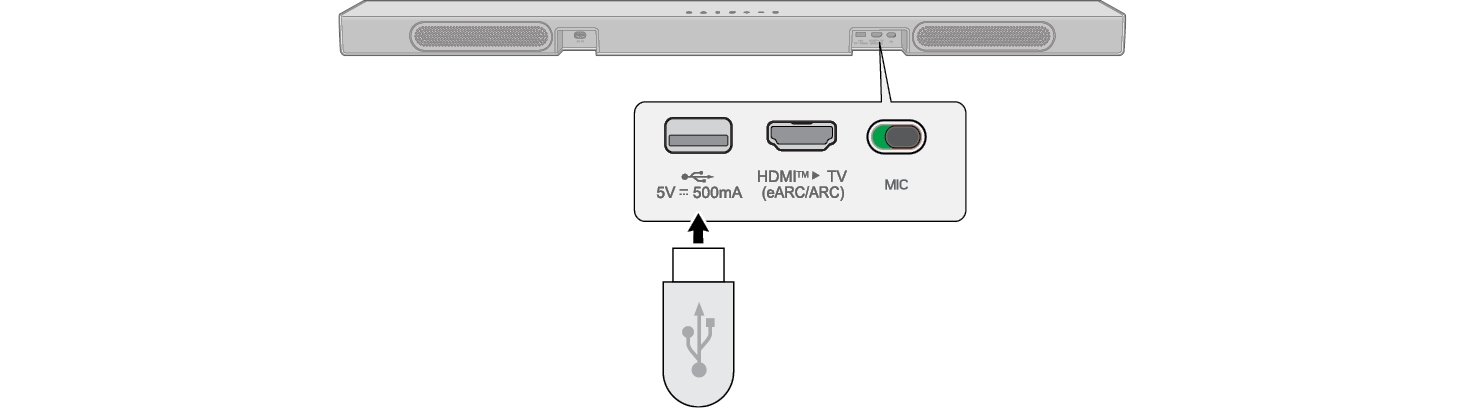
- a Plug the USB storage device into the USB port on the back of the product.
- • The product cannot play any devices connected via a USB storage device hub or a USB storage device cable.
- • The product cannot be connected to any USB storage device, USB type MP3 player, or card reader that requires a separate device drive to be installed.

- b Press the Source
 button repeatedly until [
 ] appears on the display window.


- c Press the Play/Pause
 button on the remote control to enjoy the music.
- • When you press the Play/Pause
 button, the playback time appears on the display window.
 - • Press the Play/Pause
 button while playing and playback is paused.
 - • Up/Down: This scrolls through the folders on the USB storage device. You can press the button to select the desired folder.
- • Left/Right: To play the previous song, press Left button. To play the next song, press Right button.


|
|
|
|
|


USB storage devices supported
- • USB flash device
This product may not recognize some USB storage devices.
Playable file specifications
|
File extension |
Sampling frequency / Bitrate |
|
MP3 |
32 kHz - 48 kHz / 8 kbps - 320 kbps |
|
AAC |
32 kHz - 48 kHz / 8 kbps - 320 kbps |
|
OGG |
32 kHz - 48 kHz / 64 kbps - 320 kbps |
|
File extension |
Sampling frequency |
|
FLAC (16 bit/24 bit) |
32 kHz, 44.1 kHz, 48 kHz, 88.2 kHz, 96 kHz, 176.4 kHz, 192 kHz |
|
WAV (16 bit/24 bit) |
32 kHz, 44.1 kHz, 48 kHz, 88.2 kHz, 96 kHz, 176.4 kHz, 192 kHz |
- • Number of playable files: Up to 2,000
- • Maximum number of directories: Up to 200
- • This product cannot play files protected by DRM (Digital Rights Management).
- • This product cannot play video files from a USB storage device.
Playback