Using Sound Follow
Sound Follow is a feature that uses UWB technology to detect the listener’s position and shift the sweet spot accordingly.
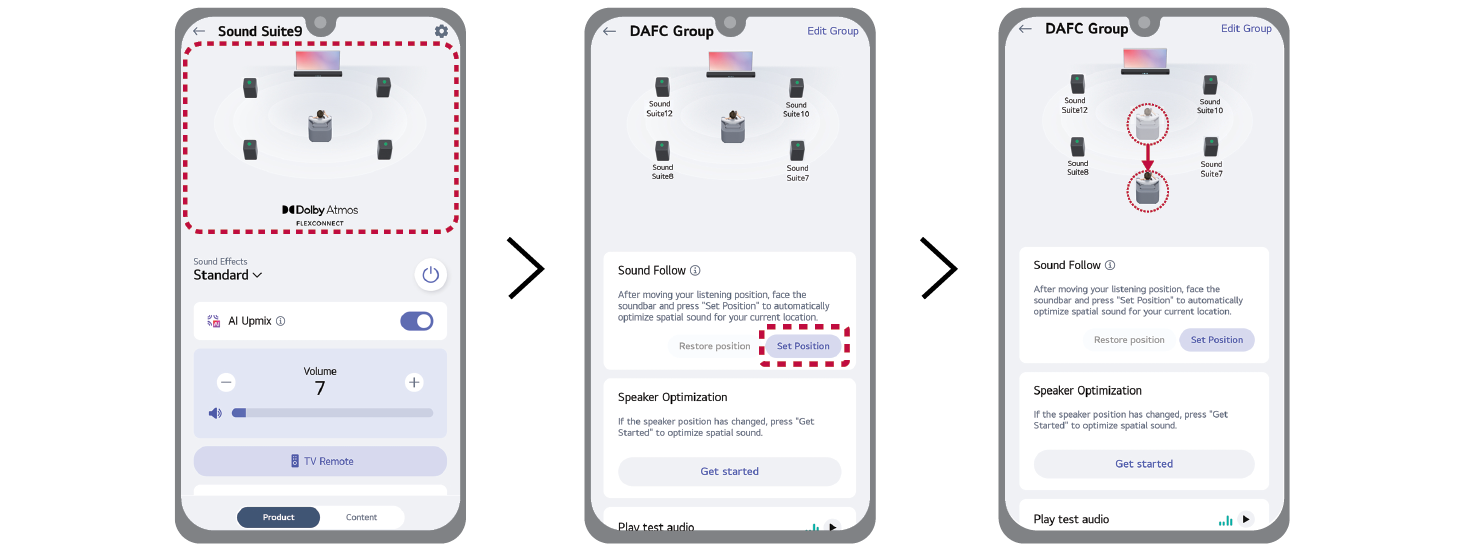
- a Select the image with the speaker layout on LG ThinQ app.
- b Select [Set Position] in the Sound Follow feature area. Spatial audio is automatically optimized based on the current location where the user is holding the smartphone.

|
|
|
|
|