About Dolby Atmos FLEXCONNECT
LG Sound Suite connection
This product can connect to other LG Sound Suite products to deliver optimal sound in any space or location. Without complicated wiring, you can enjoy optimal sound by connecting other LG Sound Suite products via the Dolby Atmos FLEXCONNECT settings in the LG ThinQ app.
Dolby Atmos FLEXCONNECT
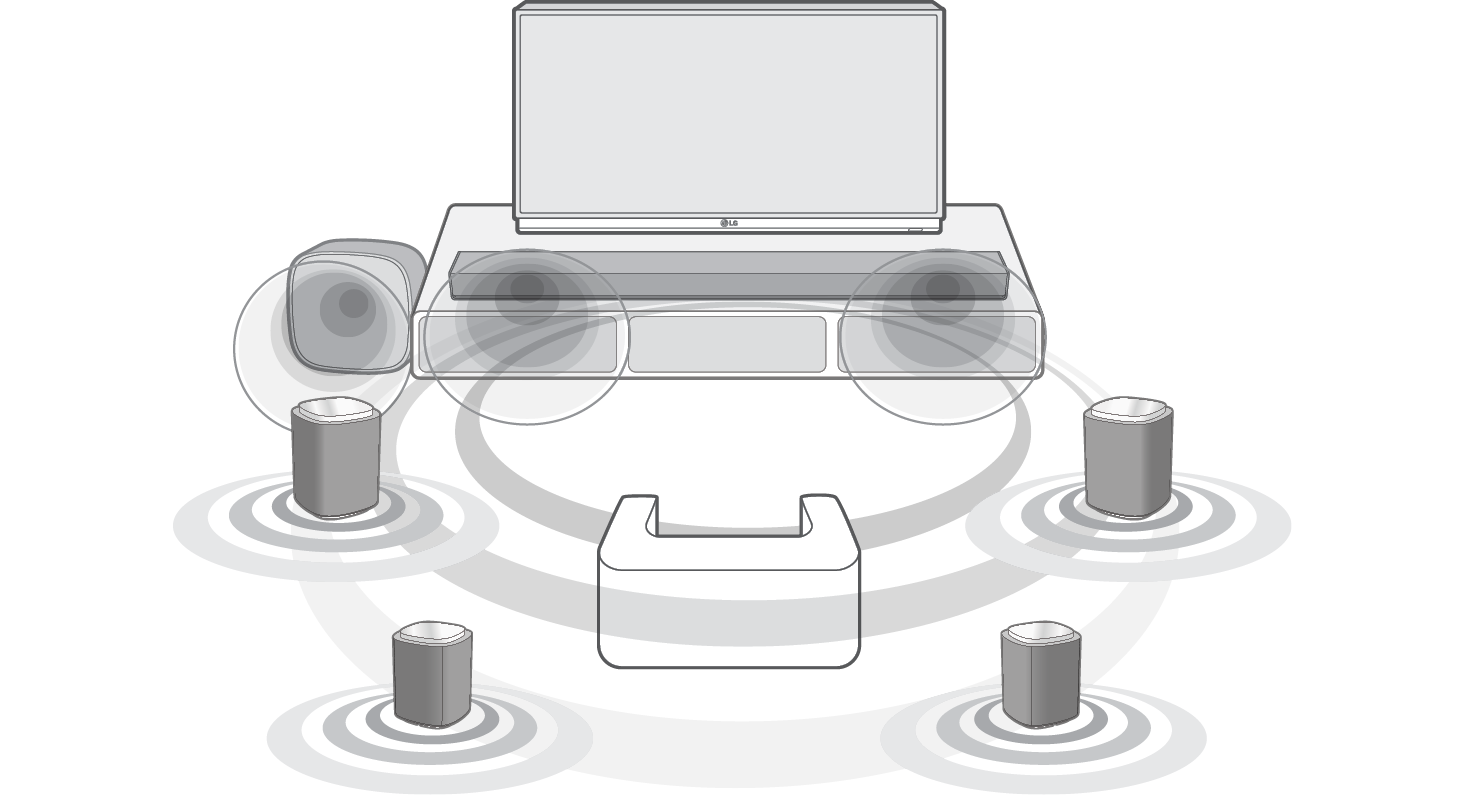
Dolby Atmos FLEXCONNECT is designed to pair a TV or soundbar system with wireless speakers, delivering a richer and more immersive Dolby Atmos sound experience. It uses built-in microphones on the TV or soundbar to detect the position of connected wireless speakers and optimizes the sound to match the room’s layout and speaker configuration.
Connect up to 3 or 4 LG Sound Suite speakers and a subwoofer to a Dolby Atmos FLEXCONNECT compatible LG TV or soundbar to experience the ultimate Dolby Atmos sound. ([ See “Dolby Atmos FLEXCONNECT Connection Combinations”)

LG Sound Suite products
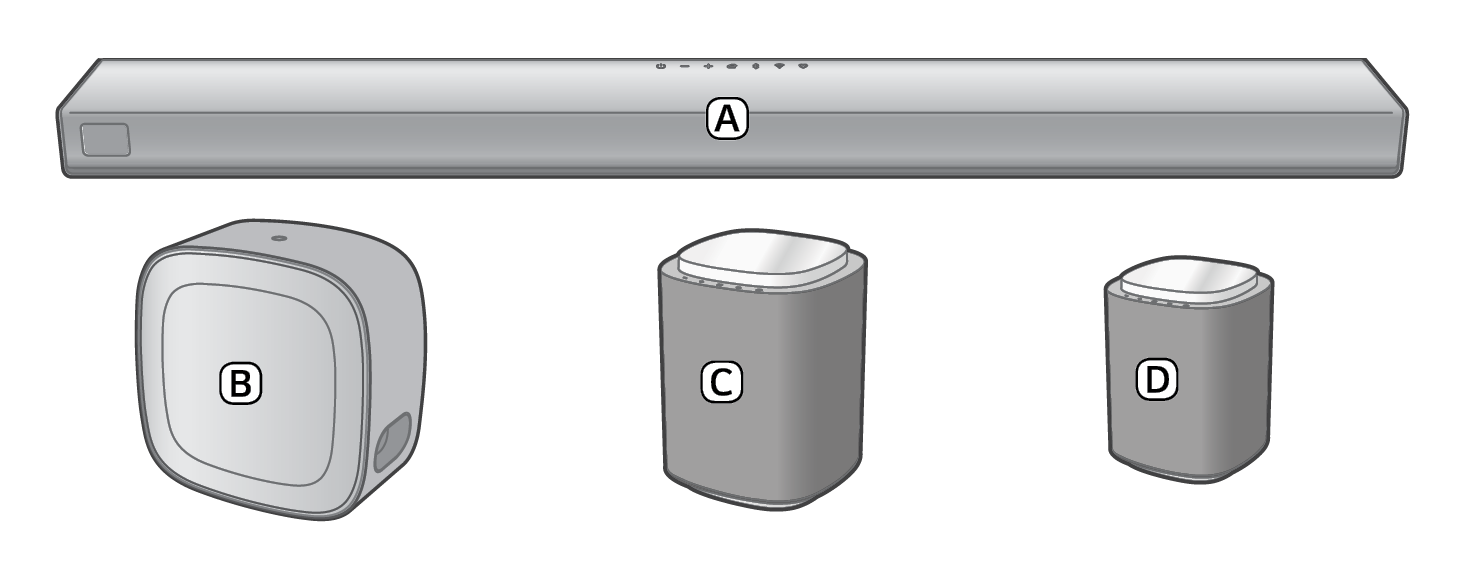

- A Soundbar (LG Sound Suite H7)
- B Subwoofer (LG Sound Suite W7)
- C Speaker (LG Sound Suite M7)
- D Speaker (LG Sound Suite M5)
|

|
|
 Note Note
|
- • LG Sound Suite products may be sold individually and may not contain all components shown. Some items may require separate purchase.
- • To enable the Dolby Atmos FLEXCONNECT connection, you must have the Dolby Atmos FLEXCONNECT-equipped LG TV or the LG Sound Suite soundbar, and meet one of the following conditions:
- - Use two or more M5 speakers. (Dolby Atmos FLEXCONNECT connection cannot be configured using a single M5 speaker.)
- - Use one or more M7 speakers.
- - Use one M5 speaker and one or more M7 speakers.
- • When setting up Dolby Atmos FLEXCONNECT with the H7 soundbar, use the HDMI cable to establish the e-ARC/ARC connection between the soundbar and the TV.
- • W7 requires an LG TV or soundbar with Dolby Atmos FLEXCONNECT support for connection.
- - After registering the soundbar in the LG ThinQ app, connect W7 through [Dolby Atmos FlexConnect] in the LG ThinQ app. (Refer to the W7 owner’s manual for detailed connection instructions.)
- • W7 can be assigned to a Dolby Atmos FLEXCONNECT group, but does not operate in Dolby Atmos FLEXCONNECT mode.
- • A single W7 subwoofer can be connected to the TV or H7 soundbar via the Dolby Atmos FLEXCONNECT setting, but the Dolby Atmos FLEXCONNECT calibration function is not available.
- • The Dolby Atmos FLEXCONNECT calibration function does not automatically recognize the position of W7.
- - W7 position shown in the LG ThinQ app is for reference only and may differ from the actual installation location. This does not affect acoustic performance, so you can freely place it wherever you prefer.
- • Install the LG Sound Suite speakers and subwoofer at least 30 cm (11.8 inch) away from the TV or soundbar when connecting them.
- • To prevent wireless interference, maintain a distance of at least 1 m (3.3 ft) between the soundbar or the wireless subwoofer, wireless speakers and any peripheral devices that generate strong electromagnetic waves (ex. wireless routers, microwave ovens, etc.).
|