Sound Bar Quick Guide
Enjoying enhanced sound
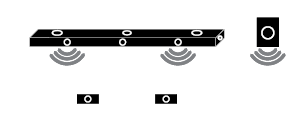
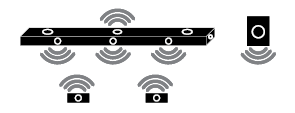
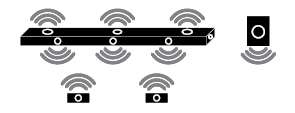
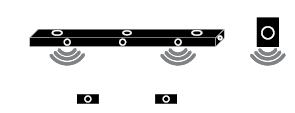
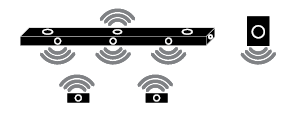
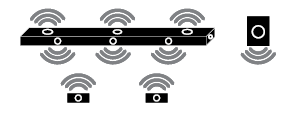
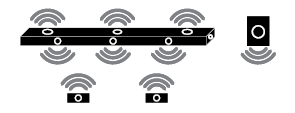
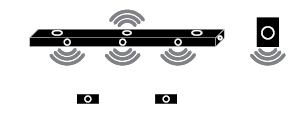
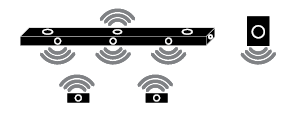
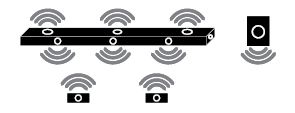
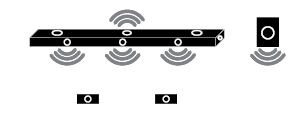
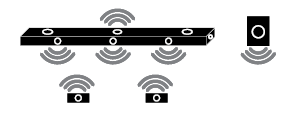
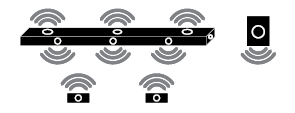
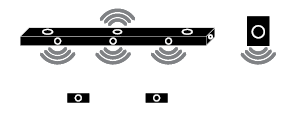
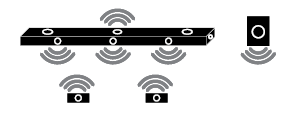
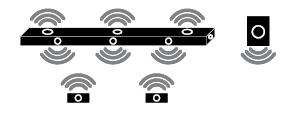
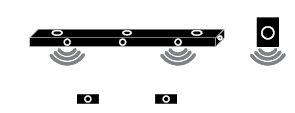
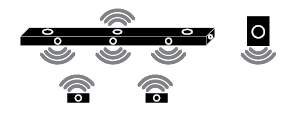
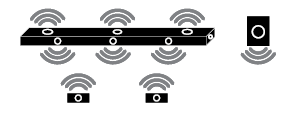
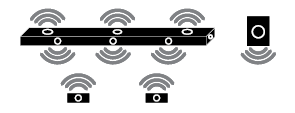
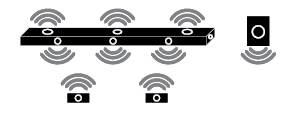
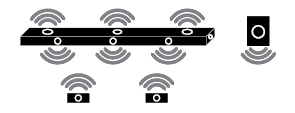
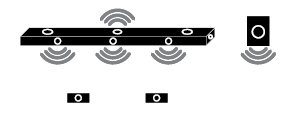
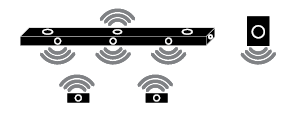
The surround sound function and the Multi-channel Experience allow you to hear immersive 3D sound produced by multiple audio channels from the speakers, regardless of the channels in the originally recorded content.
For example, if you listen to music recorded in 2.0 channels with standard sound effects while the wireless rear speakers are connected, you can hear the following difference.

When the surround sound is off

When the surround sound is on

|
|
|
|
|


-
a Press Settings
 button. The product enters the setting mode and you can see “OFF-AUTO POWER” or “ON-AUTO POWER”.


- b While the “OFF-AUTO POWER” or “ON-AUTO POWER” is scrolling in the status display, press Left/Right button to select the surround sound setting. You can see the status of the surround sound, “OFF-SURROUND” or “ON-SURROUND”.


- c While the “OFF-SURROUND” or “ON-SURROUND” is scrolling in the status display, press Up/Down button to turn on or off the surround sound.


Using Multi-channel Experience
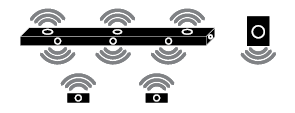
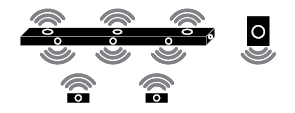
Plays sound from all speakers to enhance surround sound regardless of the channel configuration of the input source.
You can control this function on the LG Sound Bar app.

|
|
|
|
|


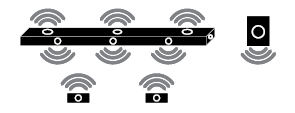
Surround sound function ON
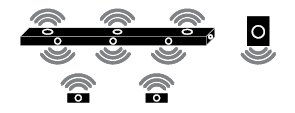
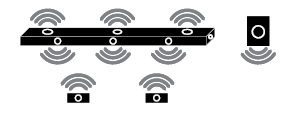
When the surround sound function is turned on, sound is output from all connected speakers regardless of whether the Multi-channel Experience is turned on or off.
|
Sound Effects |
||
|
Input |
Output |
|
|
Rear speakers not connected |
Rear speakers connected |
|
|
All Sound Effects |
||
|
2.0 channels |
|
|
|
5.1 channels |
||
|
7.1 channels or more |
||
|
7.1.4 channels |
||

Surround sound function OFF
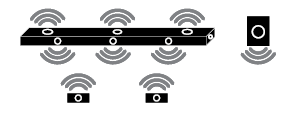
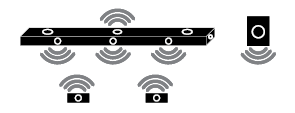
When the surround sound function is turned off, sound is output differently from the connected speakers depending on whether the Multi-channel Experience is turned on or off.
Multi-channel Experience ON
|
Sound Effects |
||
|
Input |
Output |
|
|
Rear speakers not connected |
Rear speakers connected |
|
|
AI SOUND PRO Sound customised with artificial intelligence |
||
|
2.0 channels |
|
|
|
5.1 channels |
||
|
7.1 channels or more |
||
|
7.1.4 channels |
||
|
STANDARD You can enjoy optimised sound. |
||
|
2.0 channels |
|
|
|
5.1 channels |
|
|
|
7.1 channels or more |
||
|
7.1.4 channels |
|
|
|
CINEMA Cinematic 3D sound |
||
|
2.0 channels |
|
|
|
5.1 channels |
||
|
7.1 channels or more |
||
|
7.1.4 channels |
||
|
CLEAR VOICE PRO Voice sound clear, improving the quality of voice sound |
||
|
2.0 channels |
|
|
|
5.1 channels |
||
|
7.1 channels or more |
||
|
7.1.4 channels |
||
|
SPORTS Realistic sound like in a stadium |
||
|
2.0 channels |
|
|
|
5.1 channels |
||
|
7.1 channels or more |
||
|
7.1.4 channels |
||
|
MUSIC Sound enriched with MERIDIAN technology |
||
|
2.0 channels |
|
|
|
5.1 channels |
|
|
|
7.1 channels or more |
||
|
7.1.4 channels |
|
|
|
GAME Optimised sound for game |
||
|
2.0 channels |
|
|
|
5.1 channels |
||
|
7.1 channels or more |
||
|
7.1.4 channels |
||
|
BASS BLAST (BASS BLAST+) Sound with reinforced bass |
||
|
2.0 channels |
|
|
|
5.1 channels |
||
|
7.1 channels or more |
||
|
7.1.4 channels |
||


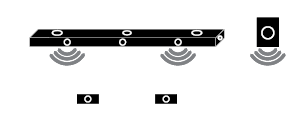









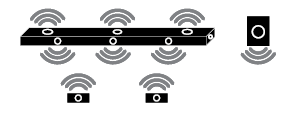
Multi-channel Experience OFF
|
Sound Effects |
||
|
Input |
Output |
|
|
Rear speakers not connected |
Rear speakers connected |
|
|
AI SOUND PRO Sound customised with artificial intelligence |
||
|
2.0 channels |
|
|
|
5.1 channels |
|
|
|
7.1 channels or more |
||
|
7.1.4 channels |
|
|
|
STANDARD You can enjoy optimised sound. |
||
|
2.0 channels |
|
|
|
5.1 channels |
|
|
|
7.1 channels or more |
||
|
7.1.4 channels |
|
|
|
CINEMA Cinematic 3D sound |
||
|
2.0 channels |
|
|
|
5.1 channels |
||
|
7.1 channels or more |
||
|
7.1.4 channels |
||
|
CLEAR VOICE PRO Voice sound clear, improving the quality of voice sound |
||
|
2.0 channels |
|
|
|
5.1 channels |
|
|
|
7.1 channels or more |
||
|
7.1.4 channels |
|
|
|
SPORTS Realistic sound like in a stadium |
||
|
2.0 channels |
|
|
|
5.1 channels |
|
|
|
7.1 channels or more |
||
|
7.1.4 channels |
|
|
|
MUSIC Sound enriched with MERIDIAN technology |
||
|
2.0 channels |
|
|
|
5.1 channels |
|
|
|
7.1 channels or more |
||
|
7.1.4 channels |
|
|
|
GAME Optimised sound for game |
||
|
2.0 channels |
|
|
|
5.1 channels |
|
|
|
7.1 channels or more |
||
|
7.1.4 channels |
|
|
|
BASS BLAST (BASS BLAST+) Sound with reinforced bass |
||
|
2.0 channels |
|
|
|
5.1 channels |
||
|
7.1 channels or more |
||
|
7.1.4 channels |
||