Sound Bar Quick Guide
Charging the Battery
The speaker has a built-in battery. Make sure to charge the battery sufficiently before use.
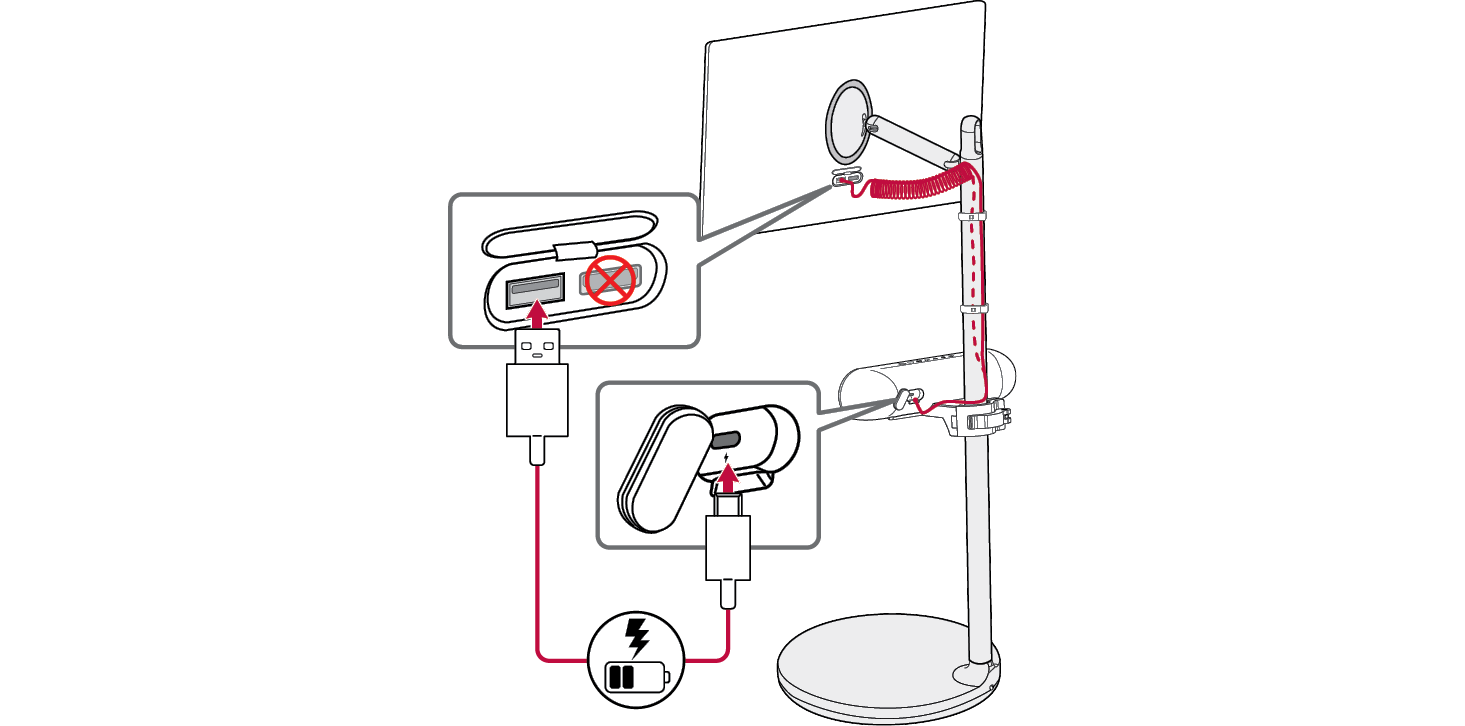
Charging the speaker by connecting it to the TV
-
a Open the back cover and connect the provided USB cable (C-type) to
 (DC IN) port of the speaker.
 - b Connect the other end of the USB cable to the USB port on the TV.

|
|
|
|
|


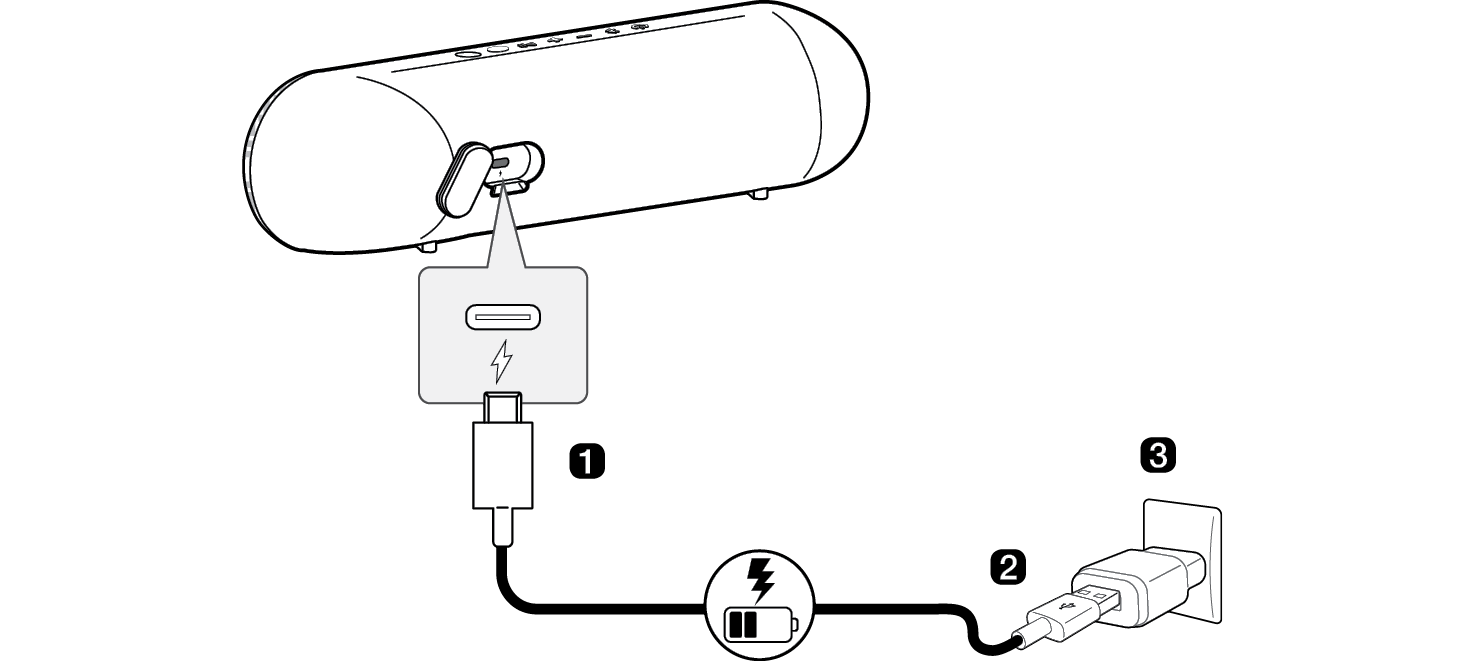
Charging the speaker using an AC adapter
-
a Open the back cover and connect the USB cable (C-type) to
 (DC IN) port of the speaker.
 - b Connect the other end of the USB cable to the AC adapter (not provided).
- c Plug the AC adapter into an AC outlet.

|
|
|
> CAUTION |
|
AC adapter is not supplied. It is recommended that you use the 5 V AC adapter approved by LG Electronics Inc. (more than 1.2 A) with this speaker because of danger of explosion. If you do not use the recommended adapter, charging is unavailable or charging time may differ. |
