Sound Bar Quick Guide
Back
|
a |
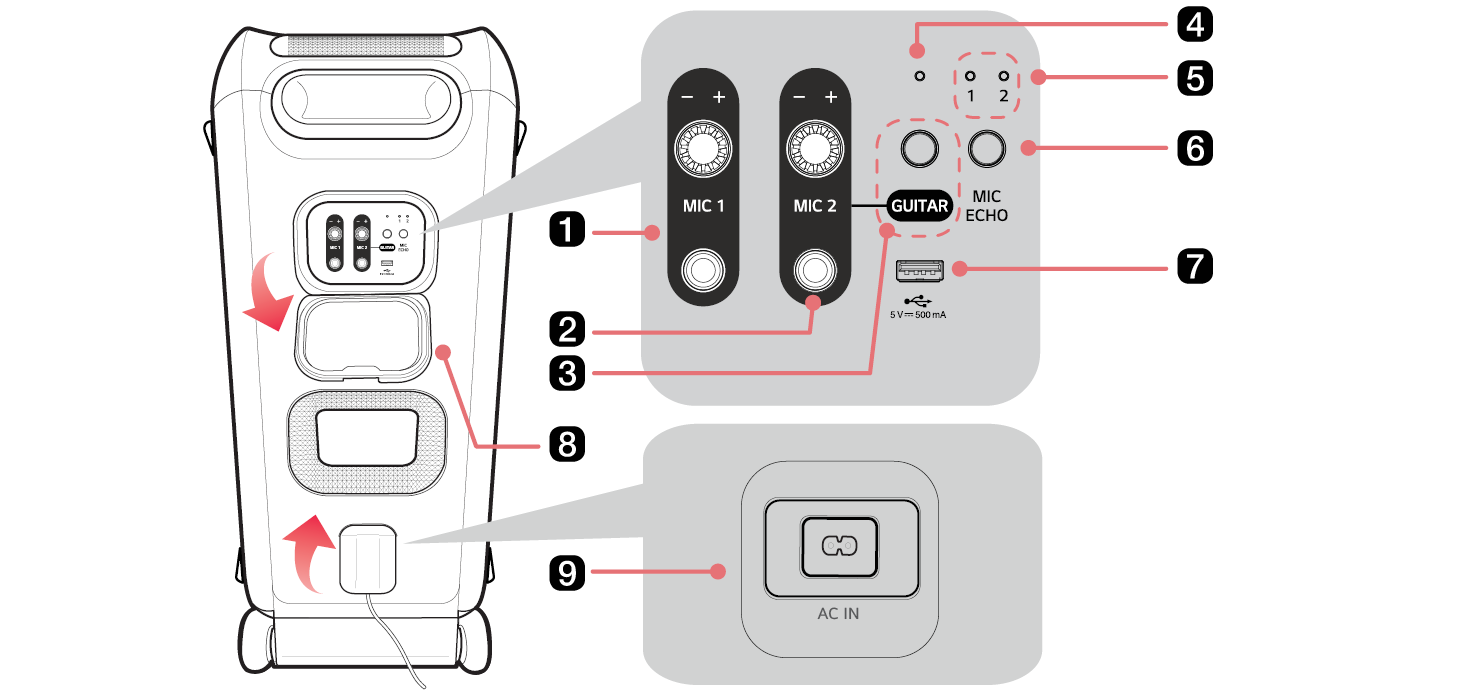
MIC 1 Turns the knob to the right (+) or left (-) to adjust the Microphone sound volume. Connect a microphone to the jack. |
|
b |
MIC 2 / GUITAR Turns the knob to the right (+) or left (-) to adjust the Microphone or Guitar sound volume. Connect a microphone or a guitar to the jack. |
|
c |
GUITAR If a guitar is connected to the MIC 2 / GUITAR jack, press this button to enter GUITAR mode. |
|
d |
GUITAR LED Indicates the GUITAR mode. |
|
e |
ECHO LED Indicates the ECHO mode. |
|
f |
MIC ECHO Press the button to select the desired ECHO mode when the microphone is connected.
|
|
g |
USB port Plug in a USB storage device to enjoy music with the product. |
|
h |
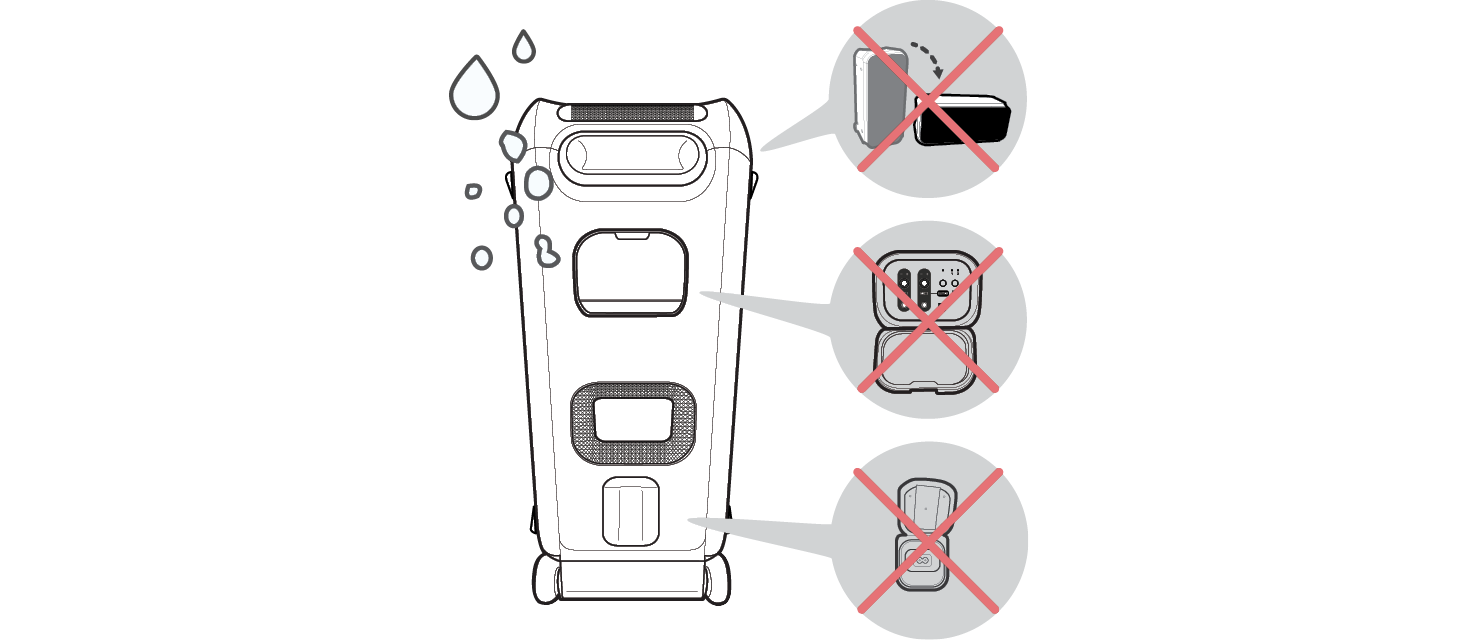
Back Cover Make sure to fully close the back cover after use.
|
|
i |
AC IN Plug in the power cord. |
|
|
|
> CAUTION |
|

|
|
|
|
|