Portable Bluetooth Speaker
Exploring the Product

Sound Bar Quick Guide

How to place the speaker

Depending on the direction of the speaker, the status of the EQ or Pixel Art Display changes.

Horizontal Mode
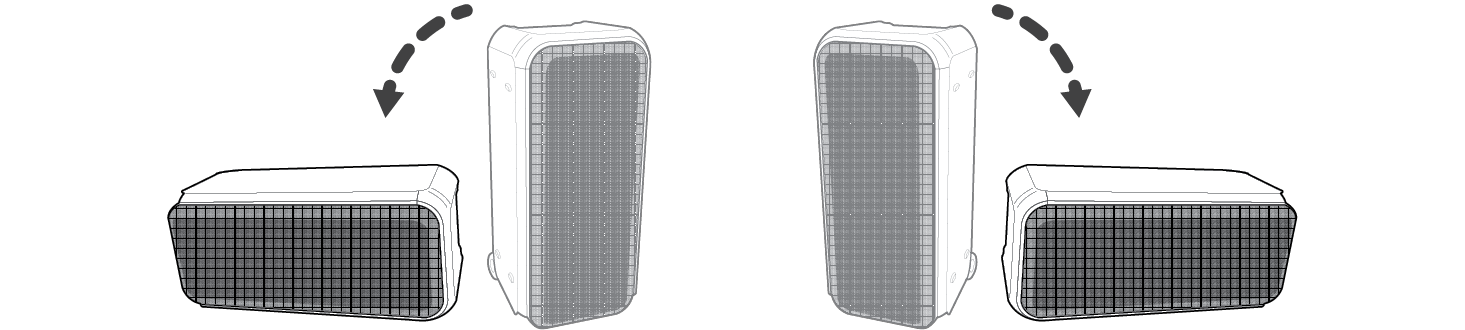
27762.png

27789.png

Vertical Mode

27752.png

27791.png

EQ

Automatically changes to Horizontal Mode or Vertical Mode depending on the direction of the speaker.

Pixel Art Display

Pixel Art Display automatically rotates to Horizontal/Vertical according to the direction of the speaker.

When enabling the Rotate Screen button on the LG XBOOM app, it automatically changes horizontally and vertically. When disabled, the Pixel Art Display is fixed horizontally even if the speaker is laid down.

28380.png

28375.png Note

  • In the Horizontal mode of Pixel Art Display, not all Pixel Art Display can be changed, but only some Pixel Art Display can be changed.
  • Depending on the Horizontal/Vertical mode, there may be a difference in the number of displayed characters.

27781.png

> CAUTION

  • Do not sit on the unit or push the unit. Otherwise it may result in malfunction and causing personal injury and/ or property damage.
  • Do not place the unit on an unstable position and place the unit at a safe distance from the child’s reach.
  • Be careful that the unit should not fall down. Otherwise it may result in malfunction and causing personal injury and/ or property damage.
  • Watch out for the foot when you lay the unit horizontally.

Installation