Sound Bar Quick Guide
Top & Front
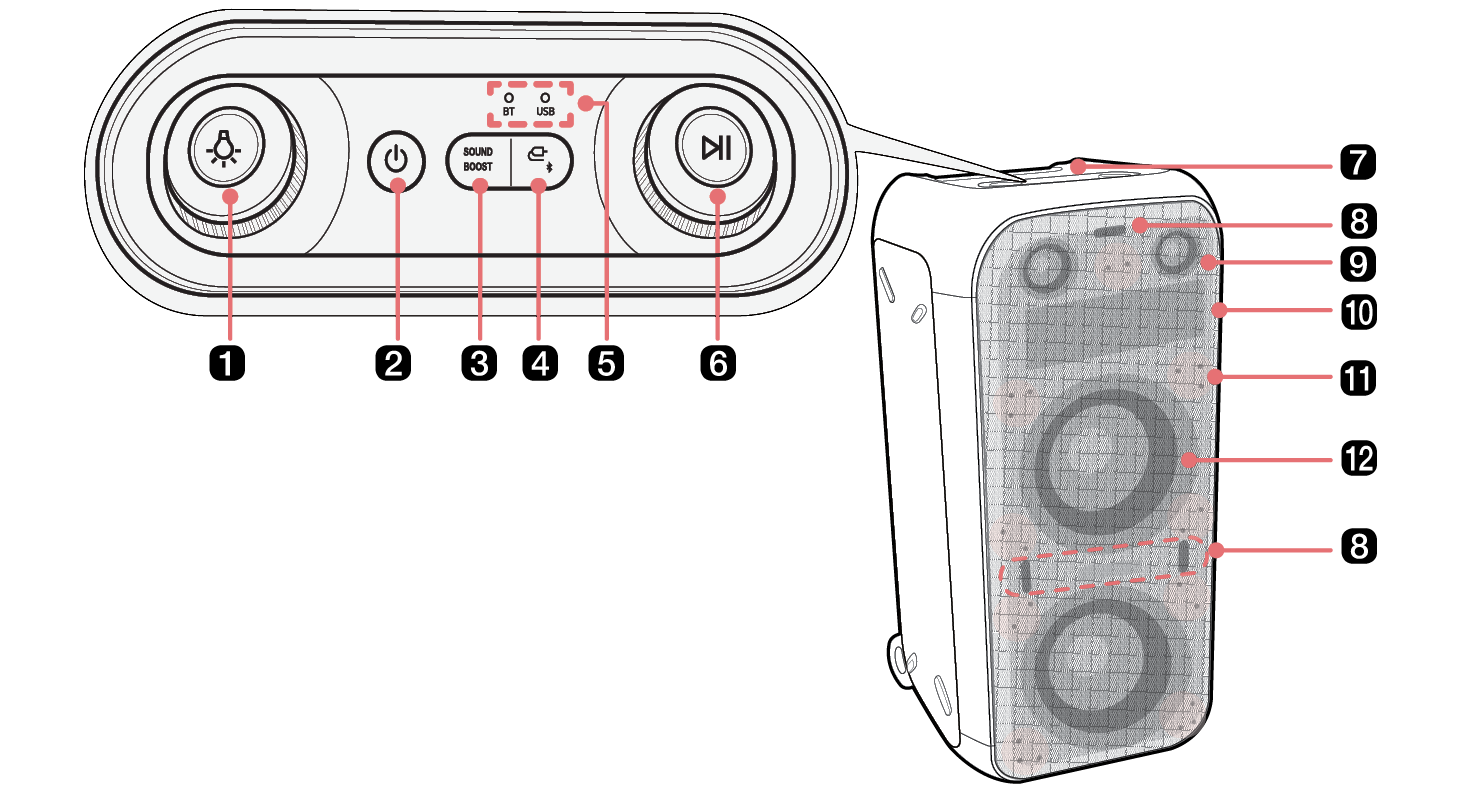
|
a |
Lighting Press the button repeatedly to select the desired Multi Color Ring Lighting or Pixel Art Display. After choosing the desired Multi Color Ring Lighting or Pixel Art Display that you want to change, then turns the knob to the right or left to change the mode of selected Multi Color Ring Lighting or Pixel Art Display.
|
|
b |
Power It turns on/off the product. |
|
c |
SOUND BOOST Changes sound effect. ([ See “Setting Sound Effects” on page 25.) |
|
d |
Function Press the button repeatedly to select the desired function.
|
|
e |
Function LED Indicates the input mode or Bluetooth connection status. |
|
f |
Play/Pause Press the button to operate the product.
Turns the knob to the right (+) or left (-) to control the volume level. |
|
g |
Handle Use it when carrying the product. |
|
h |
Flash Lighting Enjoy the light to the beat of the music. |
|
i |
Speaker (Tweeter) Tweeter plays accurate and clean high notes. |
|
j |
Pixel Art Display Display interesting movements or sentences using the LG XBOOM app.
Pixel Art Display support language
|
|
k |
Sparkle Lighting Enjoy the light to the beat of the music. |
|
l |
Speaker (Woofer) / Multi Color Ring Lighting Enjoy a powerful Bass sound and colourful light show to the beat of the music. |


|
|
|
> CAUTION |
|
