Connecting and Using the Speaker - LG xboom Mini Portable Bluetooth Speaker
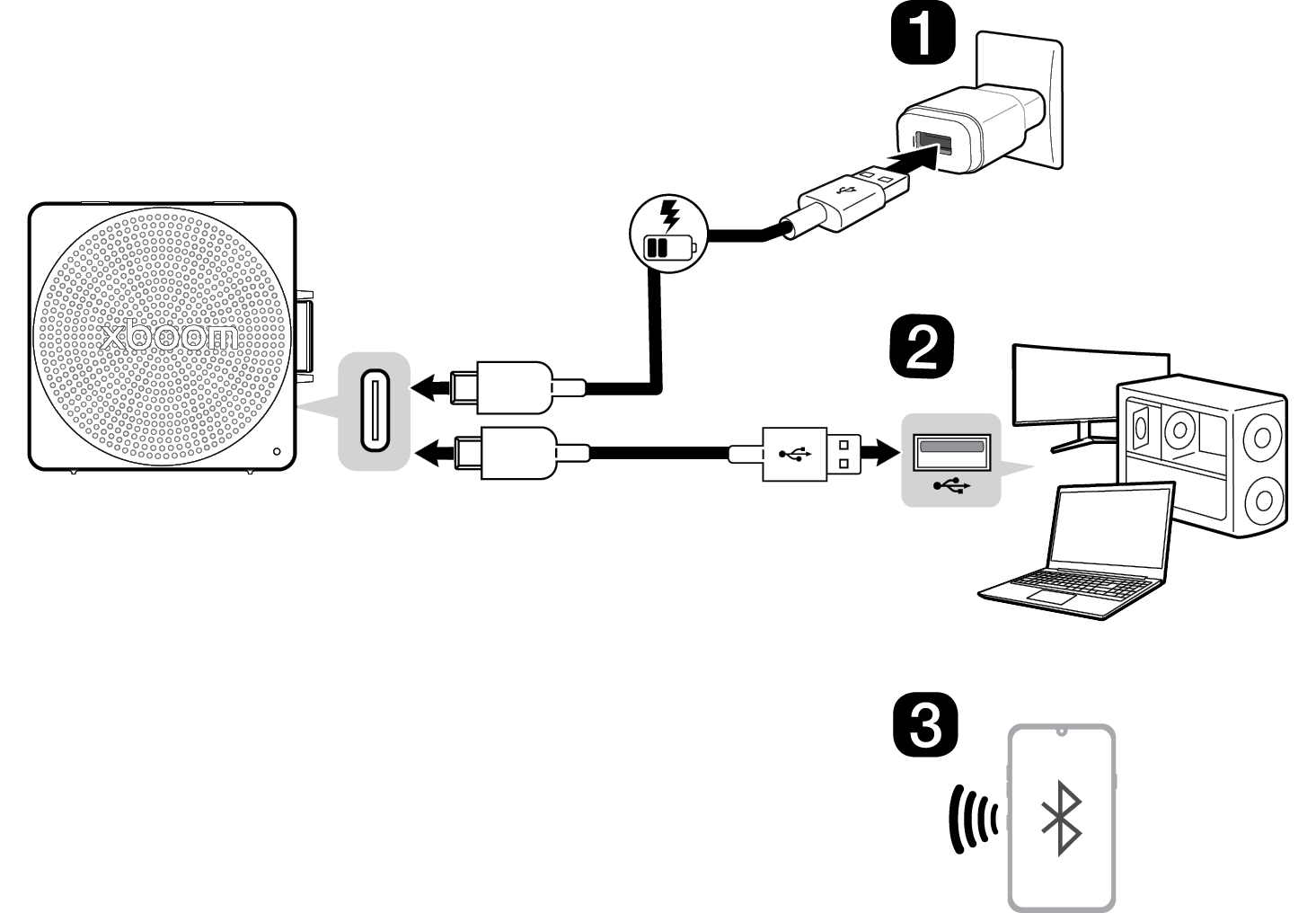

- a Charge the speaker before using it and connect the speaker to an AC adapter (not supplied).
- b Connecting the product to a PC using a USB Cable ([ See “Connecting to USB Audio” on page 13.)
- A Connect the speaker to the PC via a USB Type-C cable.
- B Press the Power
 button on the speaker to turn it on.
 - C Press the Bluetooth
 button three times quickly on the speaker. When connected to a PC in USB Audio mode, the LED lights up yellow.
 - D Select "xboom Mini" as the PC audio output.
- E Play the audio on the PC.
- c Connect the speaker to a smartphone via Bluetooth ([ See “Connecting Smartphone to the Speaker via Bluetooth” on page 15.)
- A Press the Power
 button on the speaker to turn it on.
 - B Press the Settings
 button on the smartphone and select Bluetooth. Turn on the Bluetooth function. (Off
  > On
> On  )
) - C Find “xboom Mini” on the device list on the smartphone and connect to it. Once the smartphone is connected via Bluetooth, the LED will turn on.
- D On the smartphone, play a music of your choice.
- d Connecting the LG ThinQ app ([ See “Installing app” on page 23.)
- A Find the LG ThinQ app on the Google Play or App Store and install it on your smartphone.
- B Run the LG ThinQ app and use more features. (EQ, Party Link, Sleep Timer, Setting etc.)
Exploring the Product