Sound Bar Quick Guide
Listening to an Auracast™ broadcast
You can listen to broadcasts that are in progress around you in the Auracast™ broadcast feature in the LG xboom Buds app.
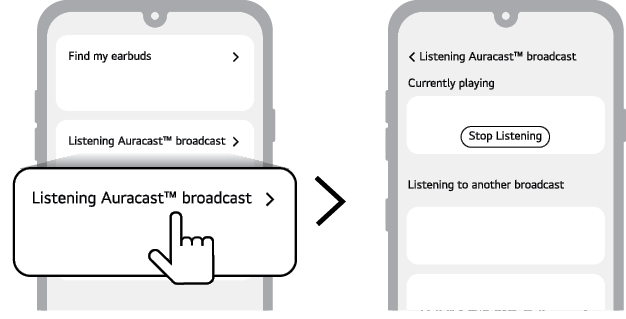
- a Run the LG xboom Buds app and select listen to Auracast™ broadcast.
- b Select the Auracast™ broadcast you want to listen to from the searched list.
- c Once the Auracast™ broadcast is connected, you can listen to the broadcast through the earbuds.

|
Function |
Description |
|
Currently playing |
This is the broadcast you are currently listening to.
|
|
Listening to another broadcast |
In addition to the broadcast you are currently listening to, broadcasts that can be heard around you will appear in the list.
|
|
|
|
|
|

