Sound Bar Quick Guide
Charging Case
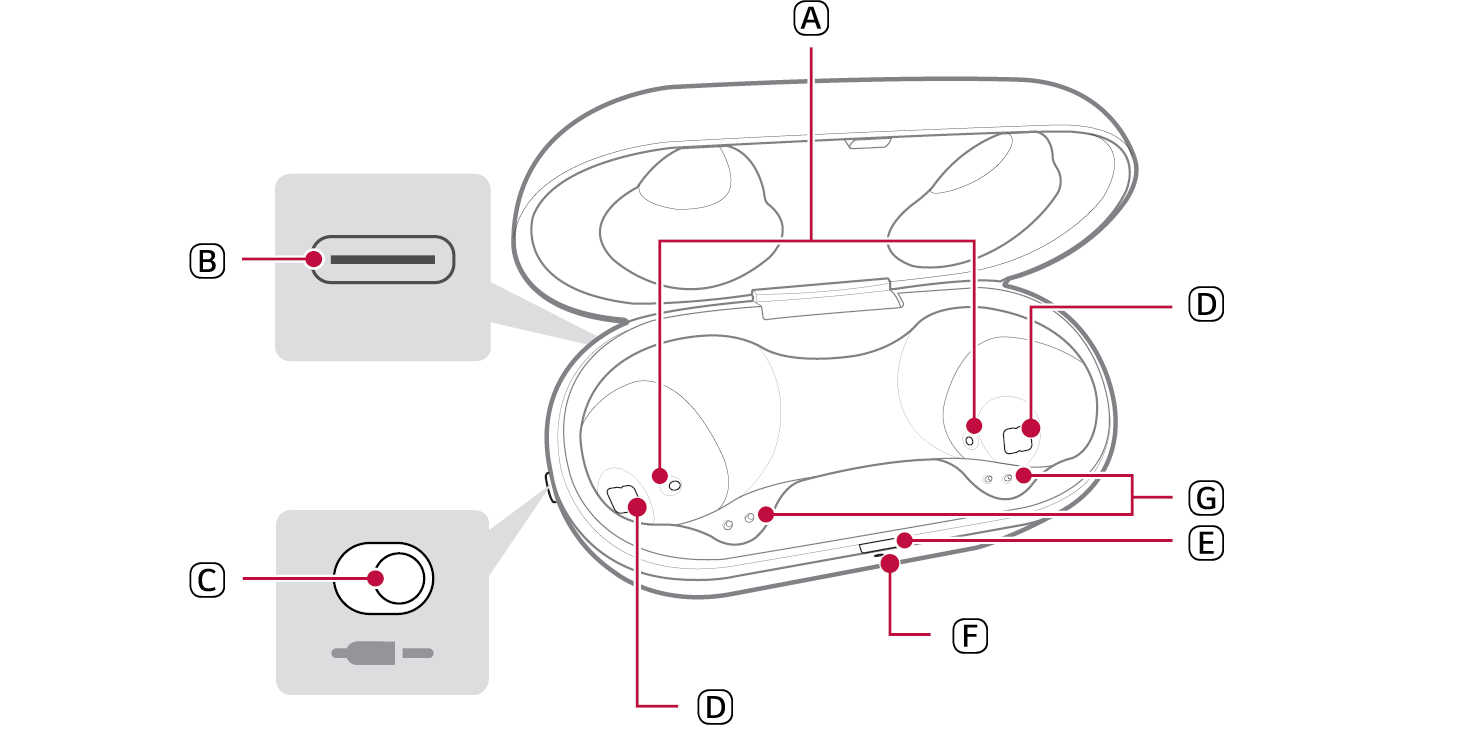

- A Mood light: When you open the charging case, the mood light turns on and off.
- B Case charging port: You can charge a device or use Plug and Wireless mode.
- C Plug and Wireless mode switch: You can connect analog and USB audio devices and the charging case to listen to the sound through the earbuds.
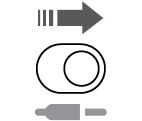
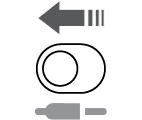
- How to operate the Plug and Wireless mode switch
|
|
Plug and Wireless mode on |
|
Push to the right (Green) |
|
|
|
Plug and Wireless mode off |
|
Push to the left |
- D UVnano LED: If you charge the device with the earbuds attached and the cover closed, the UVnano LED operates for 10 minutes.
- E Battery status indicator (up): You can check the battery status of the earbuds or charging case.
- F UVnano indicator (down): The UVnano indicator is blue while the UVnano LED is operating.
- G Earbuds charging terminals: You can charge the earbuds by attaching them to the charging case.