Sound Bar Quick Guide
Charging a smartphone
Use the USB cable to charge your smartphone like a spare battery for the speaker.
Please check the following first.
- The method of charging your smartphone differs depending on the device. Refer to your smartphone's manual.
- a Open the back cover of the speaker and connect the smartphone to the DC OUT (5 V 0 2 A) terminal via the USB cable. The smartphone starts to be charged.


- b Depending on whether the speaker is charging or not, the smartphone can be charged.
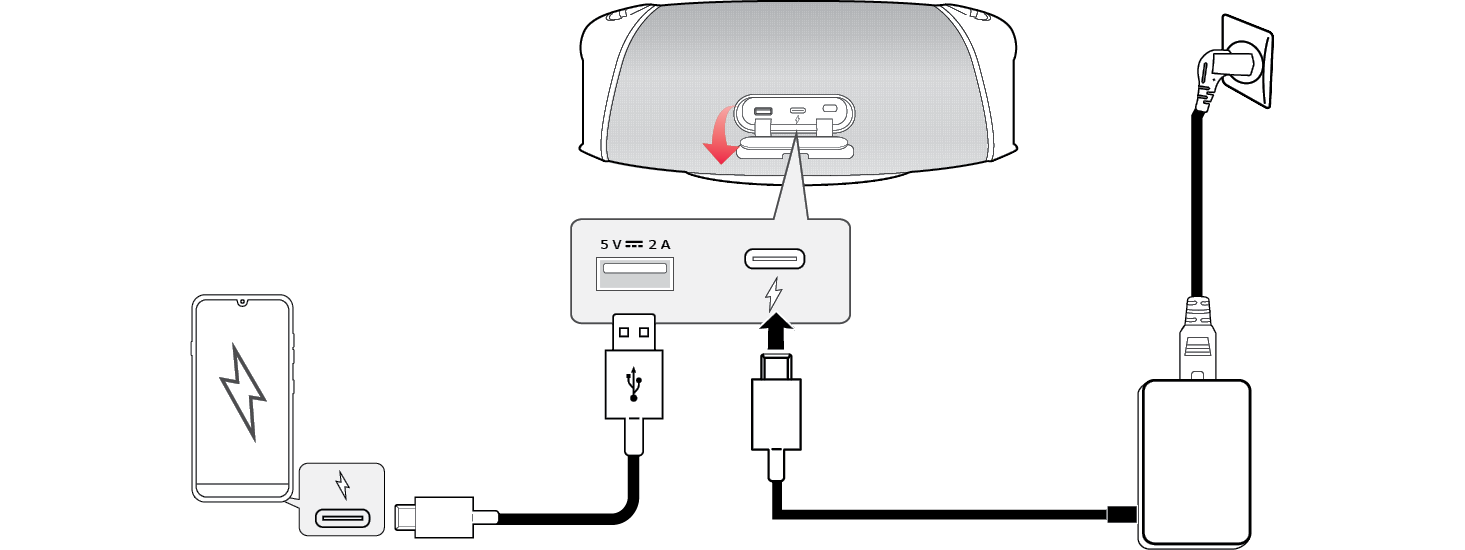

|
Power input / Speaker status |
Smartphone charging |
|
Connected / Power On |
O |
|
Connected / Power Off |
O |
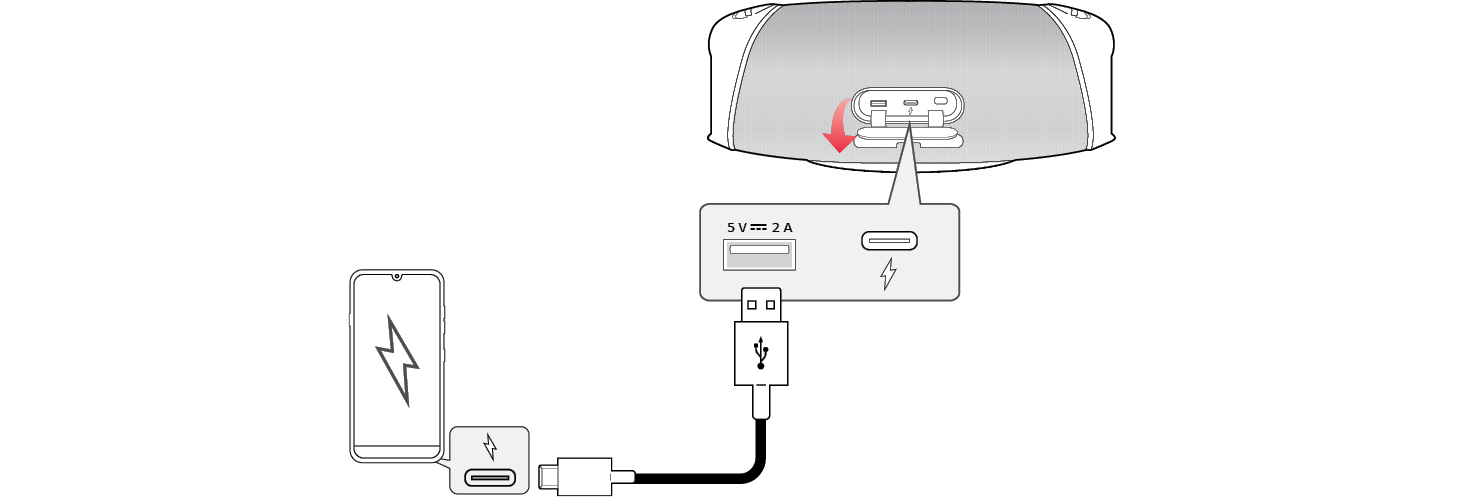

|
Power input / Speaker status |
Smartphone charging |
|
Disconnected / Power On |
O* |
|
Disconnected / Power Off |
X |
|
|
|
|
|

