Sound Bar Quick Guide
Connecting and Using the Speaker
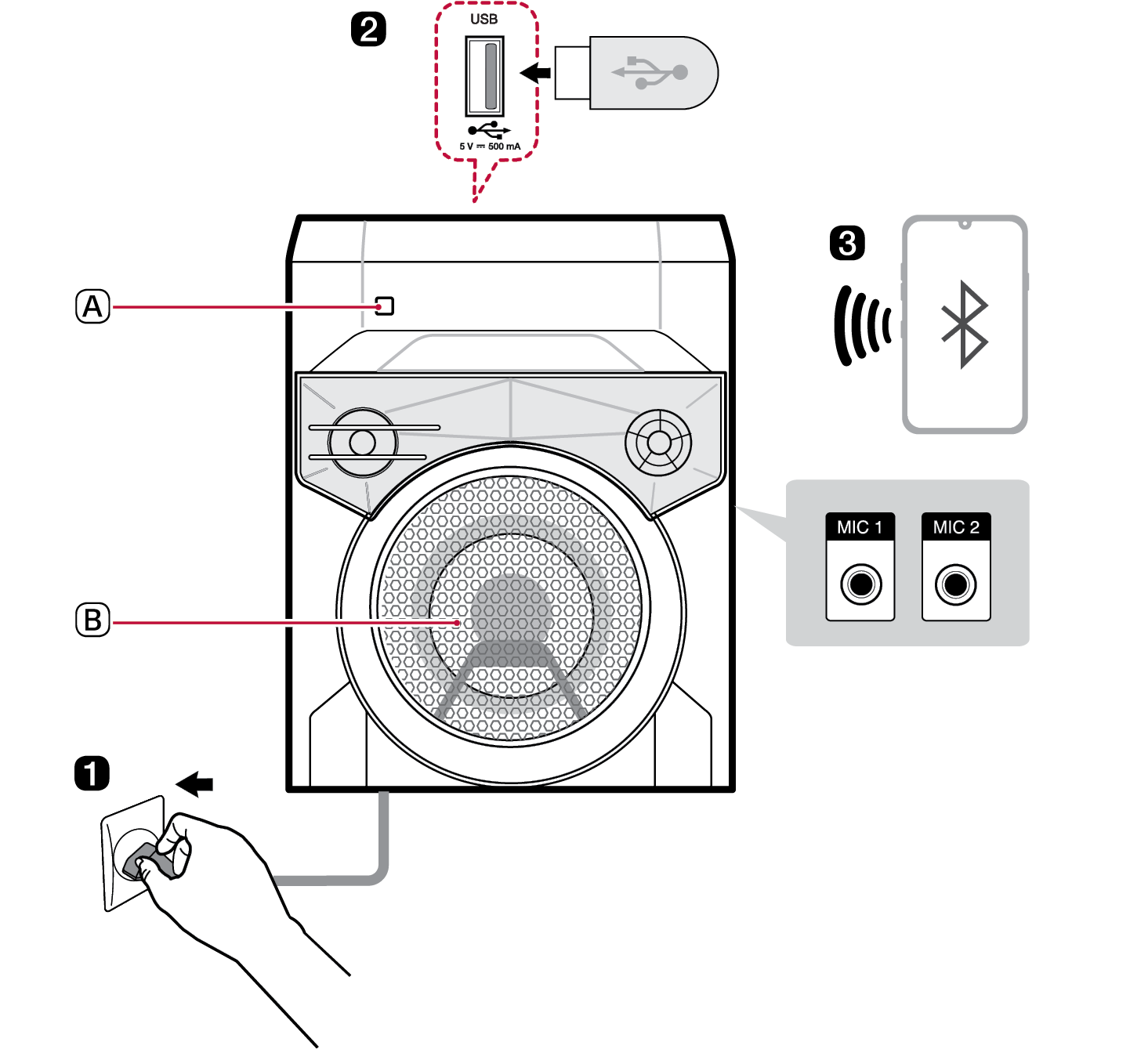

- A Remote sensor
- B Woofer lighting
- a Plug the power cord before use.
- b Playing Music from the USB ([ See “Connecting the product to a USB storage device” on page 14.)
- A Plug the USB storage device into the USB terminal.
-
B Press the Power
 button to turn on the product.
 -
C Press the Function
 button repeatedly until “USB” appears on the status display.
 -
D Press the Play/Pause
 button to enjoy the music.
 - c Connecting the Speaker to a Smartphone Using Bluetooth ([ See “Connecting Smartphone to the Speaker via Bluetooth” on page 11.)
-
A Press the Power
 button to turn on the product.
 -
B Press the Function
 button repeatedly to select the BT function. After a moment, you will see “READY” on the status display.
 -
C Tap the Settings
 button on your smartphone and select
  Bluetooth. Turn on the Bluetooth function. (
 Off >
Off >  On)
On) - D From the list of smartphone devices, find and tap on “LG-RNC2.”
- E Once the smartphone is connected to the product via Bluetooth, you can see the status display change from “PAIRED”[ “BT”. Play a desired track in the music app on your smartphone.
Table of Contents
HIGH POWER SPEAKER SYSTEM Quick Guide
2 Connecting and Using the Speaker
Exploring the Product
5 Top
7 Front / Rear
8 Exploring Remote Control
Connecting to Bluetooth
11 Connecting Smartphone to the Speaker via Bluetooth
Connecting to USB
14 Connecting the product to a USB storage device
Sound adjustment
16 Setting the sound mode
Additional Function
17 Auto power down
Safety Precautions
18 Safety and Regulatory
20 Prevention of product misuse
Things to Check before Reporting Malfunction
24 Troubleshooting
Appendix
26 Product Specifications
27 Registered Trademarks and Licenses
28 Handling the Product
Exploring the Product