Setting Sound Effects - LG xboom Stage501 Portable Bluetooth Speaker
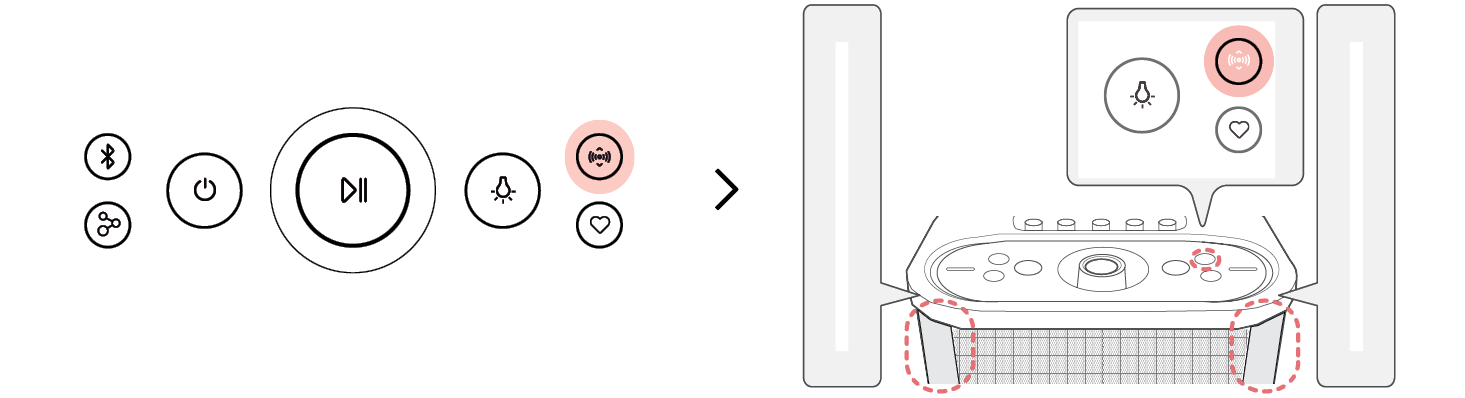
You can select a desired sound effect by pressing the Sound Mode  button repeatedly.
It changes in the following order: EQ [ Sound Field Enhance [ Play Time Enhance [ Standard

|
Button Backlight |
Function / LED Status / Description |
|
|
EQ / It blinks with white. / You can enjoy High-fidelity sound with balanced and natural. |
|
|
Sound Field Enhance / It blinks with red. / You can enjoy the wide sound field and powerful sound. |
|
|
Play Time Enhance / It blinks with green. / Improves the clarity of voices. |
|
|
Standard / It blinks with yellow. / You can enjoy optimized sound. |




|
|
|
|
|


