Using Sound Effects
Using various sound effects
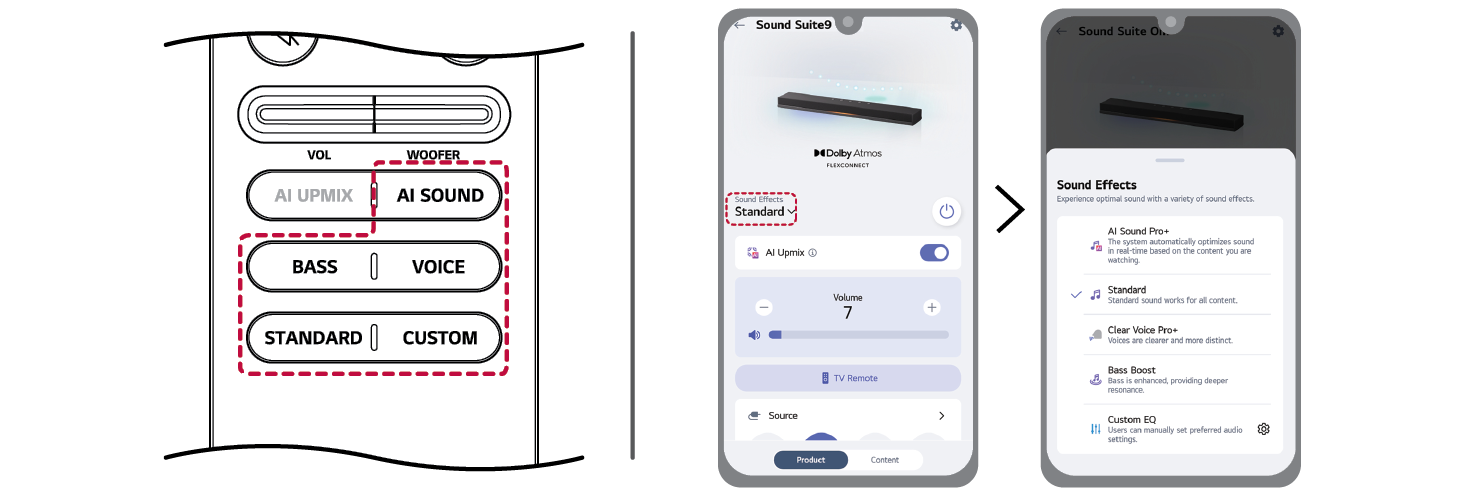
You can select various sound effects by pressing the sound effect buttons on the remote control or by using the LG ThinQ app.

|
Button |
Sound Effect |
Discription |
|
AI SOUND |
AI Sound Pro+ |
Artificial intelligence selects the optimal sound settings to suit your content. |
|
STANDARD |
Standard |
You can enjoy optimized sound. |
|
VOICE |
Clear Voice Pro+ |
Improves the clarity of voices. |
|
BASS |
Bass Boost |
Bass sounds are enhanced. |
|
CUSTOM |
Custom EQ |
Select the custom sound effect you set in the LG ThinQ app. |
|
|
|
|
|
If your LG TV supports the PSW (Personal Sound Wizard) function, the PSW sound may be selected, and [PERSONALIZED SOUND] will appear on the display window. For detailed information on how to configure this feature, please refer to your TV’s instruction manual. |


Using AI UPMIX
The AI UPMIX is a technology that improves audio quality by adding virtual speaker channels.
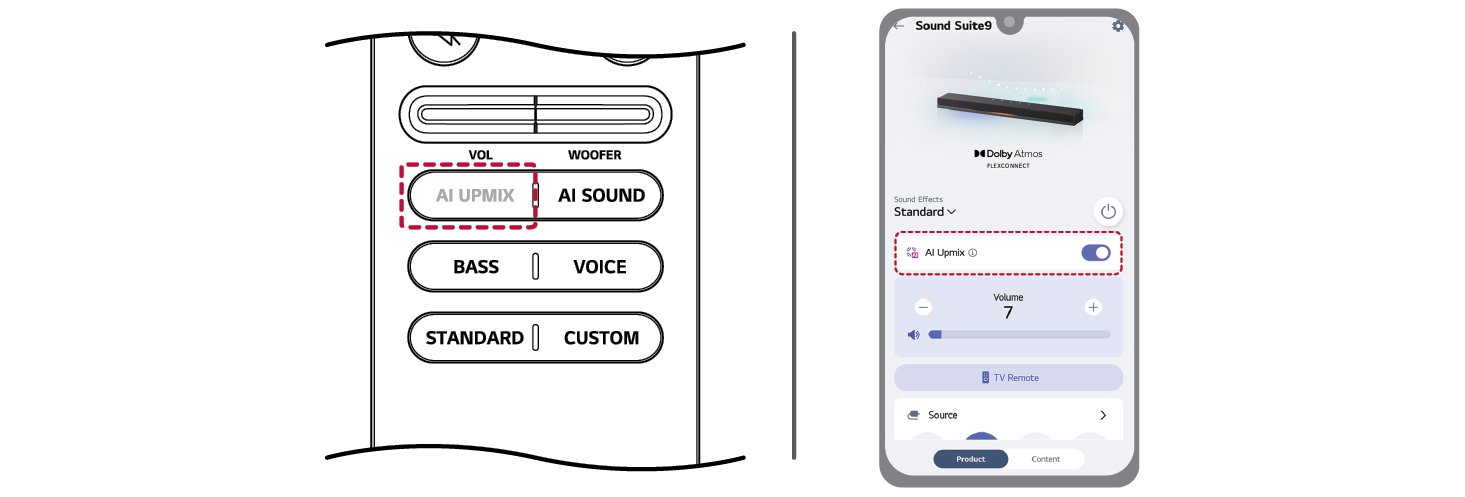
You can turn the function on or off using AI UPMIX button on the remote control or controlling on LG ThinQ app.

|
|
|
|
|
When the AI Sound Pro+ sound effect is in use, the AI Upmix feature cannot be disabled. |


Speaker sound based on input channels
|
Sound Effects |
Input |
Output |
|
AI Sound Pro+ |
2.0 channels |
|
|
5.1 channels |
||
|
7.1 channels or more |
||
|
7.1.4 channels |
||
|
Standard Clear VoicePro+ Bass Boost CUSTOM |
2.0 channels |
|
|
5.1 channels |
|
|
|
7.1 channels or more |
||
|
7.1.4 channels |
|
|
|
AI Upmix On mode |
|