Dolby Atmos FLEXCONNECT Setup with Soundbar
Set the Dolby Atmos FLEXCONNECT by connecting your LG Sound Suite products in the LG ThinQ app.
Please check the following first.
- • To set the Dolby Atmos FLEXCONNECT function, you need LG Sound Suite products.
- • Dolby Atmos FLEXCONNECT-equipped products from other manufacturers are not compatible with LG Sound Suite products.
- • Install and run the LG ThinQ app on your smartphone, then register your LG Sound Suite products.
- • If the microphone on the soundbar is turned off, the Dolby Atmos FLEXCONNECT calibration feature cannot be used. Slide the MIC (Microphone) switch on the rear of the soundbar to the ON position. (
 OFF >
OFF >  ON)
ON) - • The microphone is used solely for audio functionality and does not collect the user’s sound.
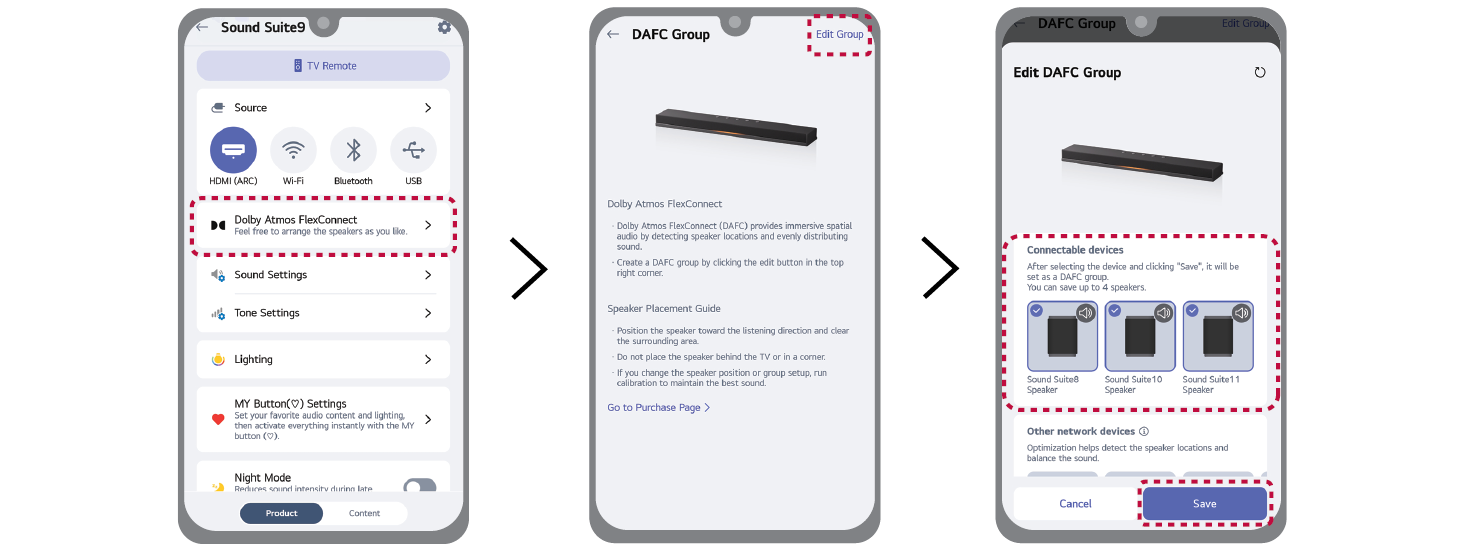
- a Turn on all the LG Sound Suite products you want to use with the Dolby Atmos FLEXCONNECT feature.
- b In the LG ThinQ app, select the Dolby Atmos FLEXCONNECT feature.
- c Select [Edit Group].
- d A list of products that support Dolby Atmos FLEXCONNECT will appear. Select the product you want to connect and then select [Save].

- e Set the distance between the LG Sound Suite soundbar and your listening position, then select [Next] and follow the instructions in the LG ThinQ app.
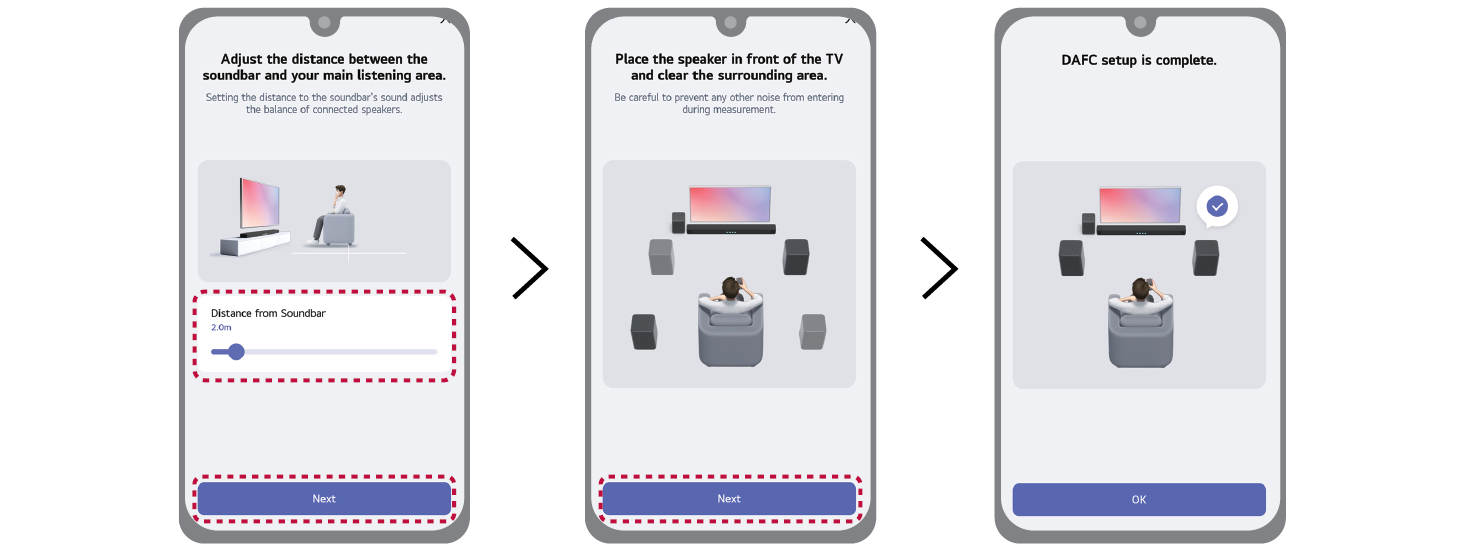

- f When the Dolby Atmos FLEXCONNECT connection is completed, the lighting indicator lights up white.
|
|
|
|
|



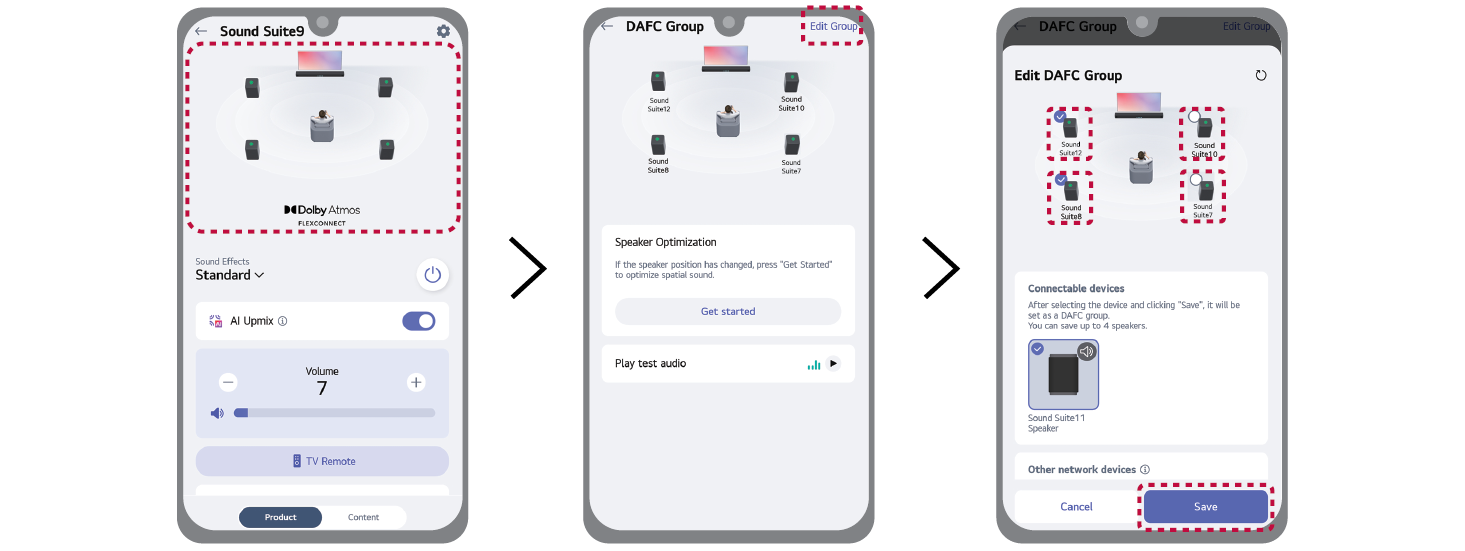
Configuring Dolby Atmos FLEXCONNECT Group (Soundbar)
Run the LG ThinQ app on your smartphone. Select the image with the speaker layout, then select the [Edit Group]. Check or uncheck a product to group or ungroup it in the Dolby Atmos FLEXCONNECT settings, following the instructions in the LG ThinQ app.

Reset Dolby Atmos FLEXCONNECT calibration (Soundbar)
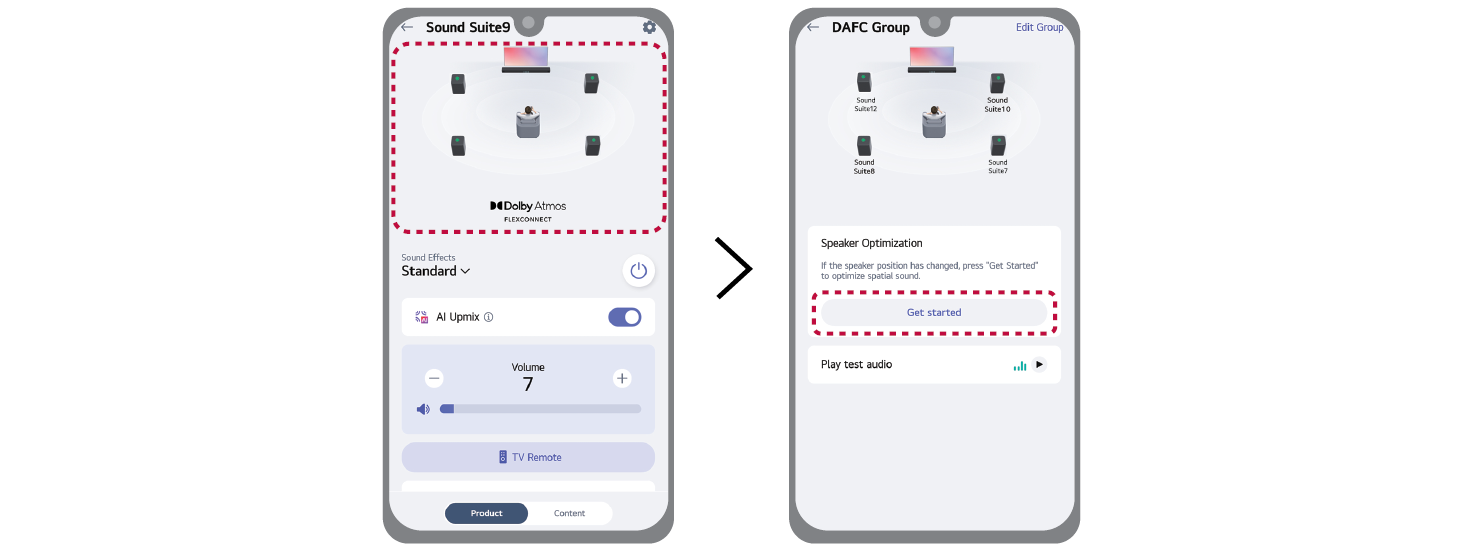
When changing the speaker’s position, reset the Dolby Atmos FLEXCONNECT calibration to ensure optimal sound performance.
Select the image with the speaker layout, then select the [Get started] in [Speaker Optimization] and follow the instructions in the LG ThinQ app.