Using Ambient lighting
Ambient lighting creates a more immersive atmosphere.
Using Ambient lighting on the Product
You can press the Volume  and MY
  buttons on the product at the same time to turn the ambient lighting on or off. The color and brightness of the ambient lighting can be adjusted through the LG ThinQ app. Refer to the following information. ([ See “Using Ambient lighting in the LG ThinQ app”)


Using Ambient lighting in the LG ThinQ app
You can turn the ambient lighting on or off using the LG ThinQ app. After turning on ambient lighting, set the desired color and brightness.
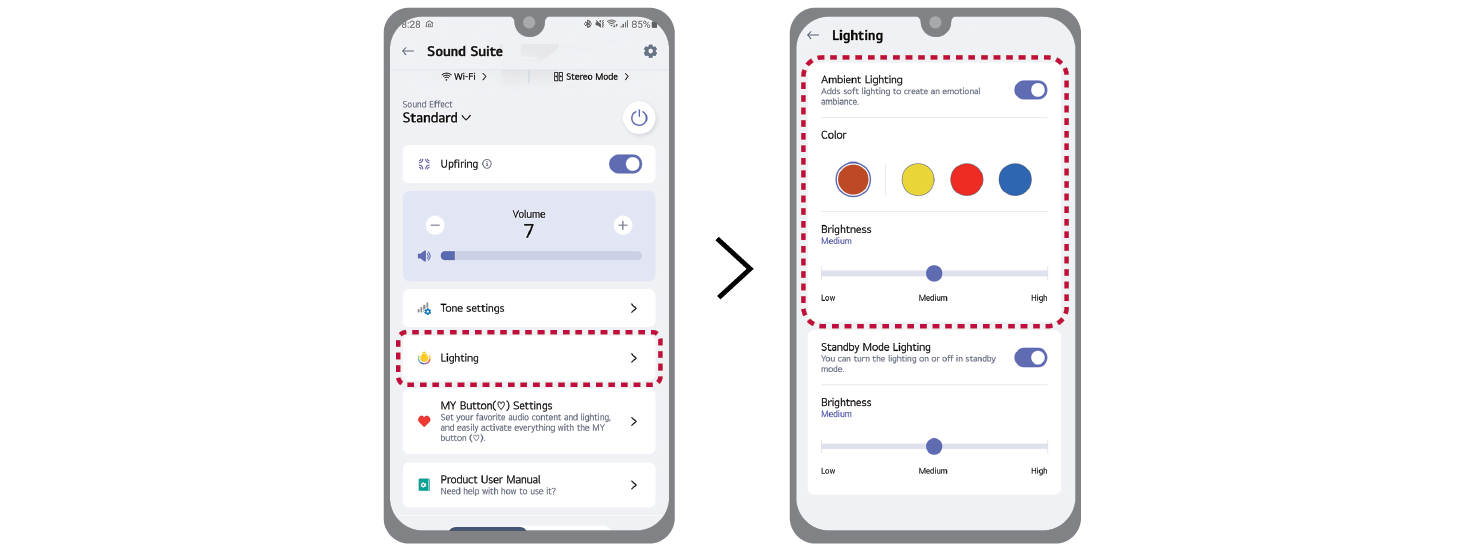

|
|
|
|
|

