Sound Bar Quick Guide
Affixing the Speaker to the TV
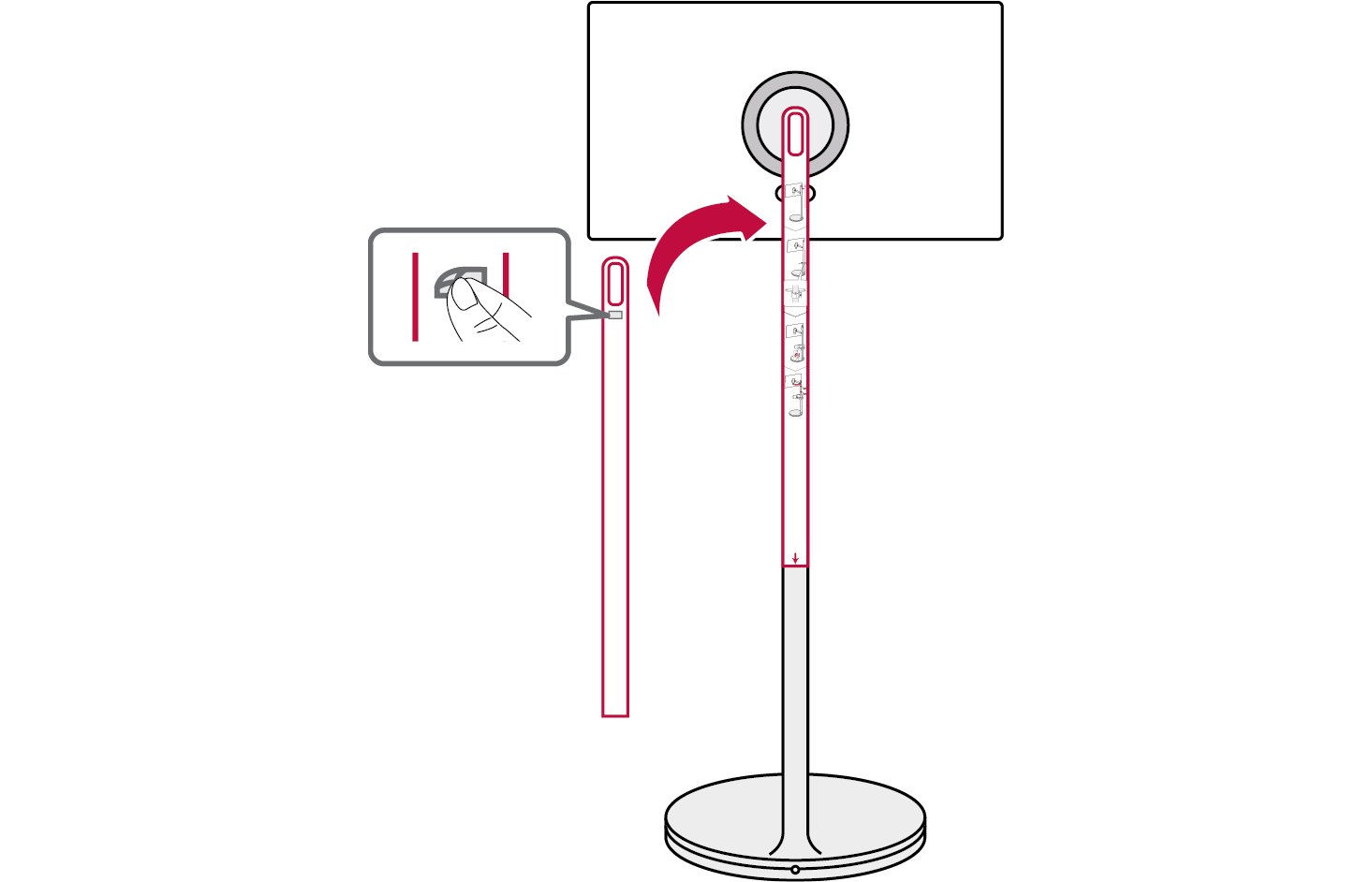
- a Attach the installation template on the back of the TV stand. Remove the protective tape on the back on the template and attach it to the TV stand. Then check the height at which the cradle will be installed.

|
|
|
|
|


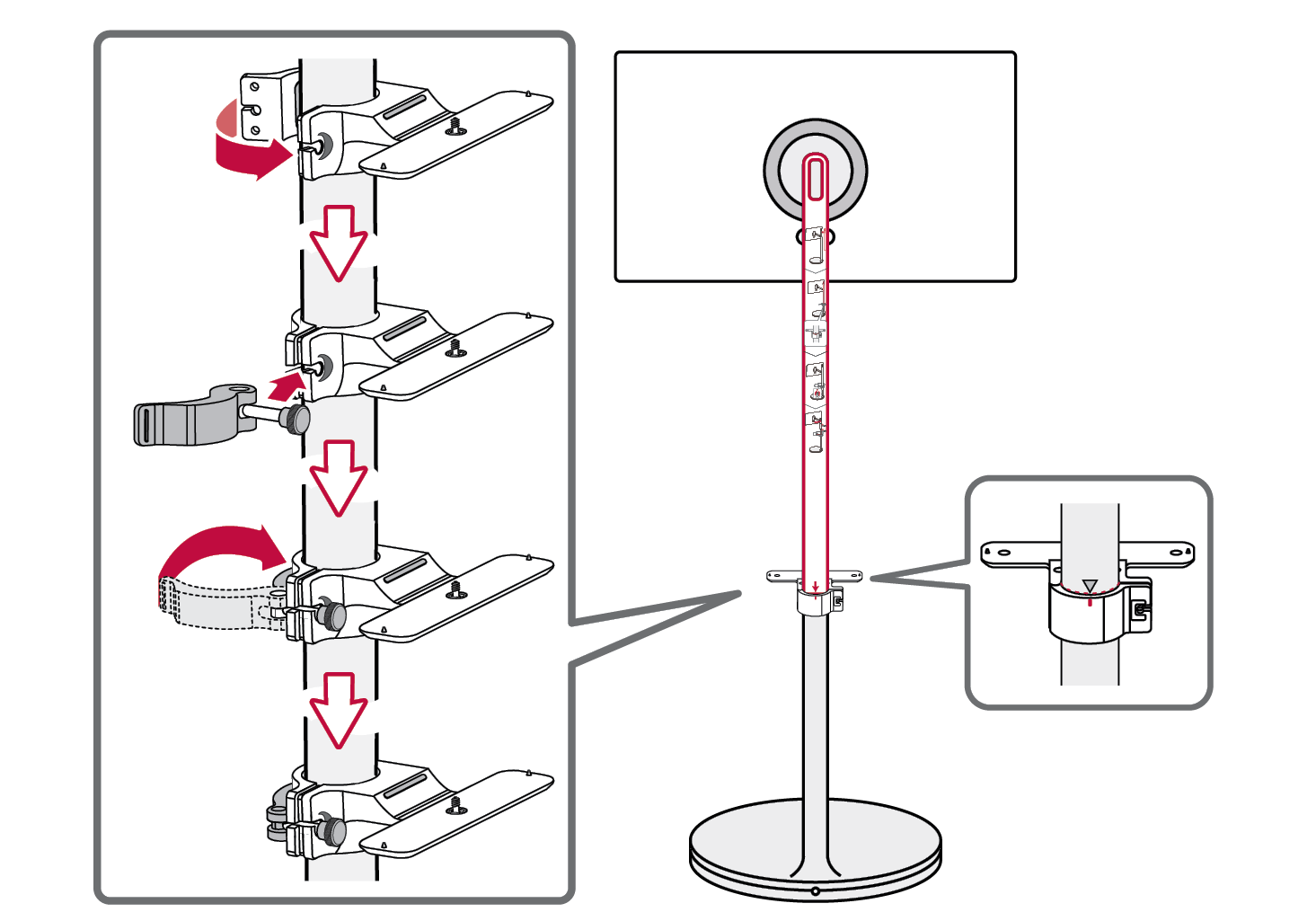
- b Install the cradle below the template. When installing it, align the center dot on the cradle to the s symbol on the TV stand. And then remove the template.

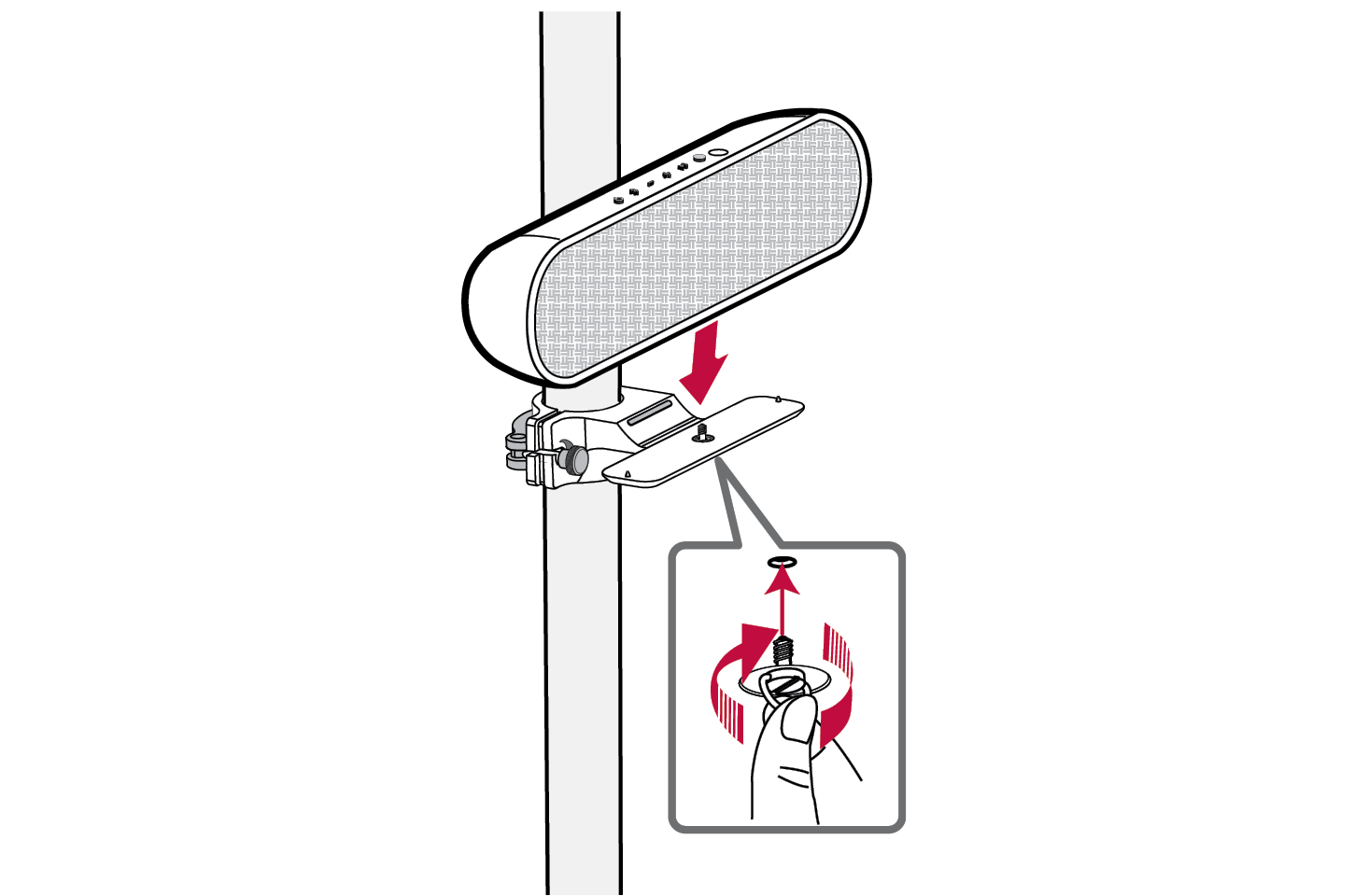
- c Put the speaker on the cradle and turn the screw under the cradle as if pushing it upward to secure the speaker.

|
|
|
> CAUTION |
|
Be careful not to get your hands caught or break your nails when assembling the screws. |

-
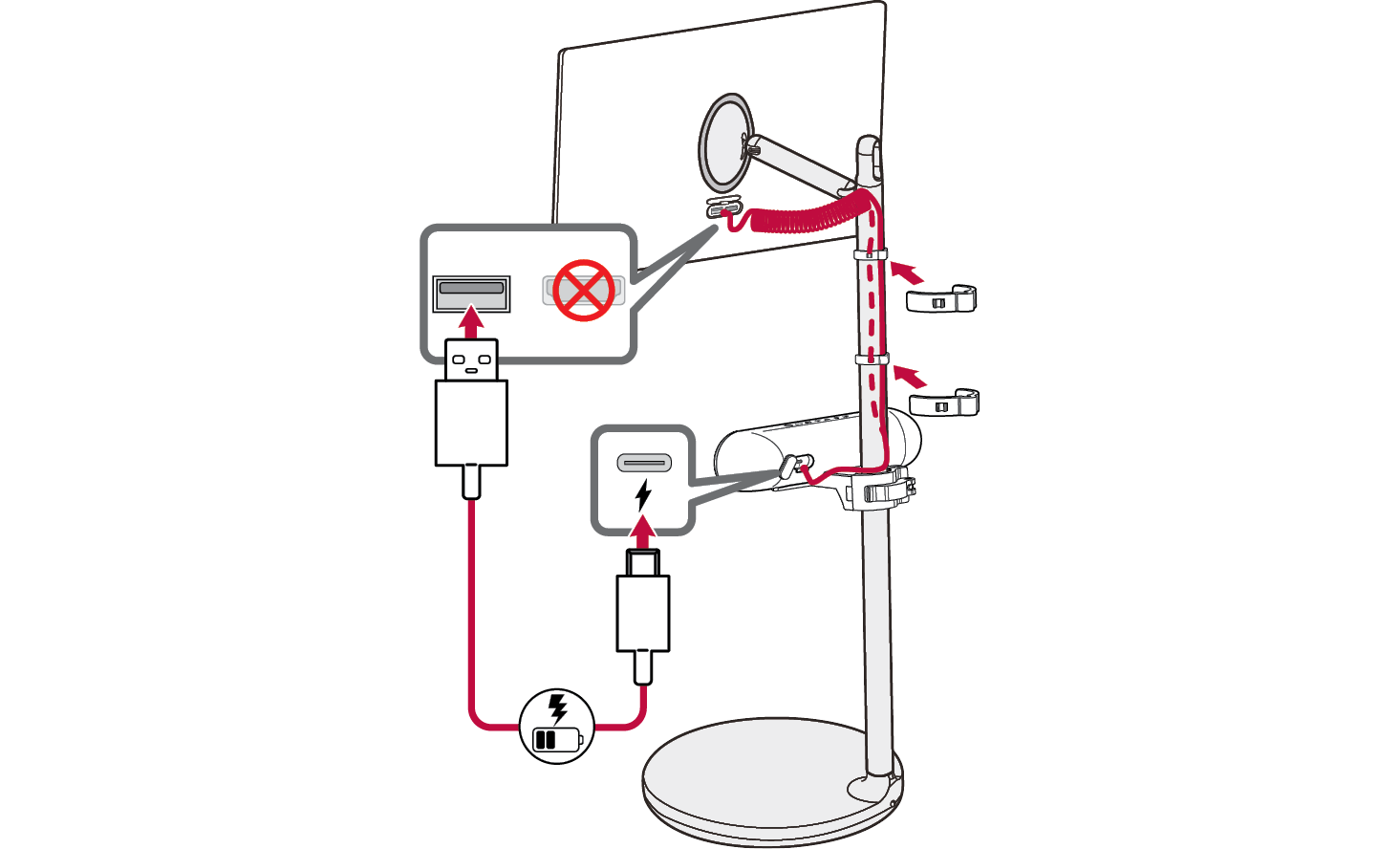
d Connect the USB Type-C connector to the
 charging port on the back of the speaker and the USB Type-A connector to the TV's USB port. And use the cable holders to organize the cable.

Exploring the Product